Notifications
Overview
Witboost notifications is designed to keep users informed about important updates throughout the data product lifecycle. Whether it's changes in data availability, workflow statuses, or important announcements, notifications ensure that users stay updated and can take necessary actions promptly.
Notifications can be delivered through different channels, depending on the platform settings handled by the platform team.
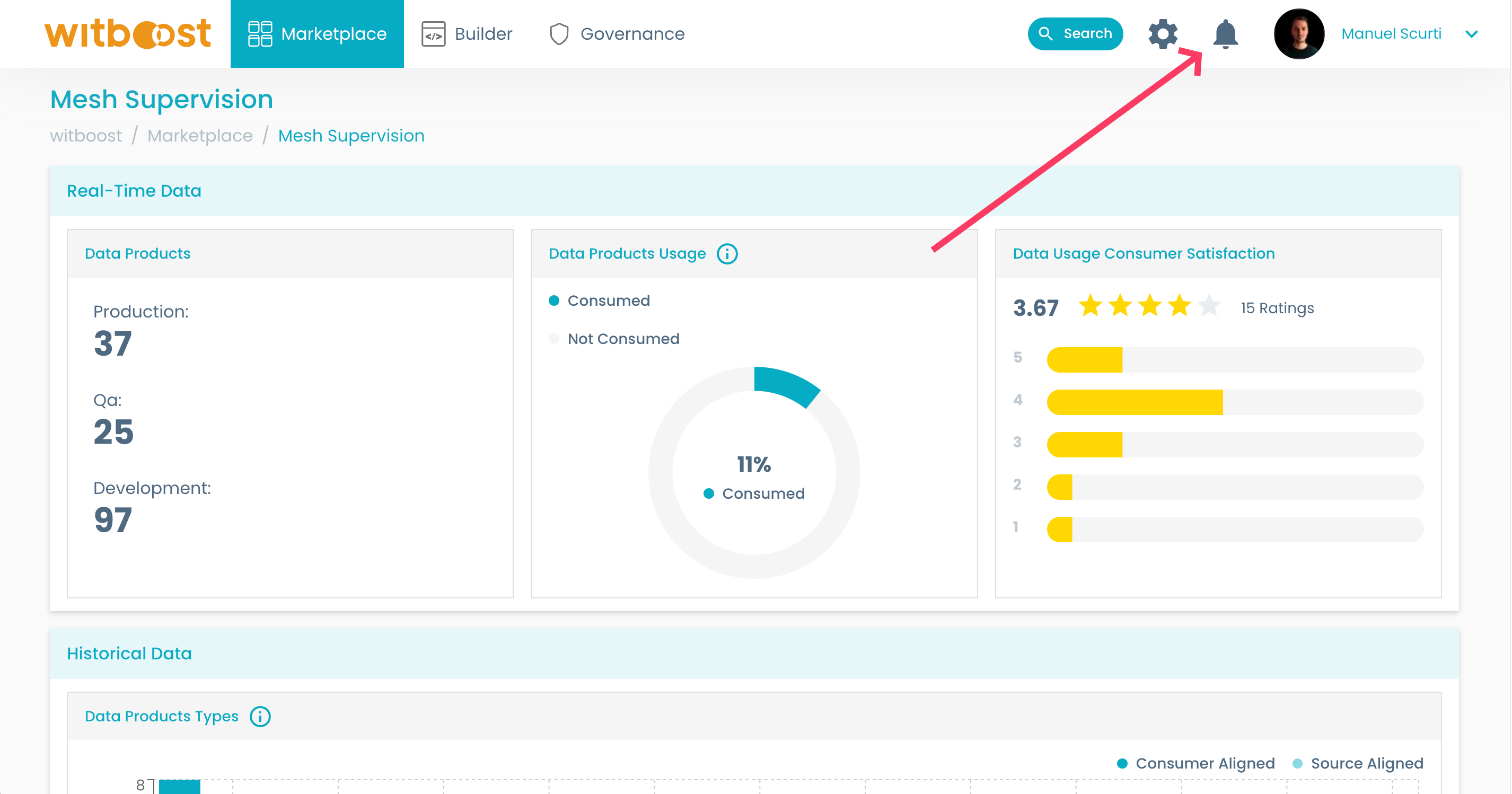
To take a look at your notifications, click on the bell button on the top-right corner from any Witboost page. As shown below
Notification Center
The Notification Center houses all the in-app notifications, also known as push notifications:
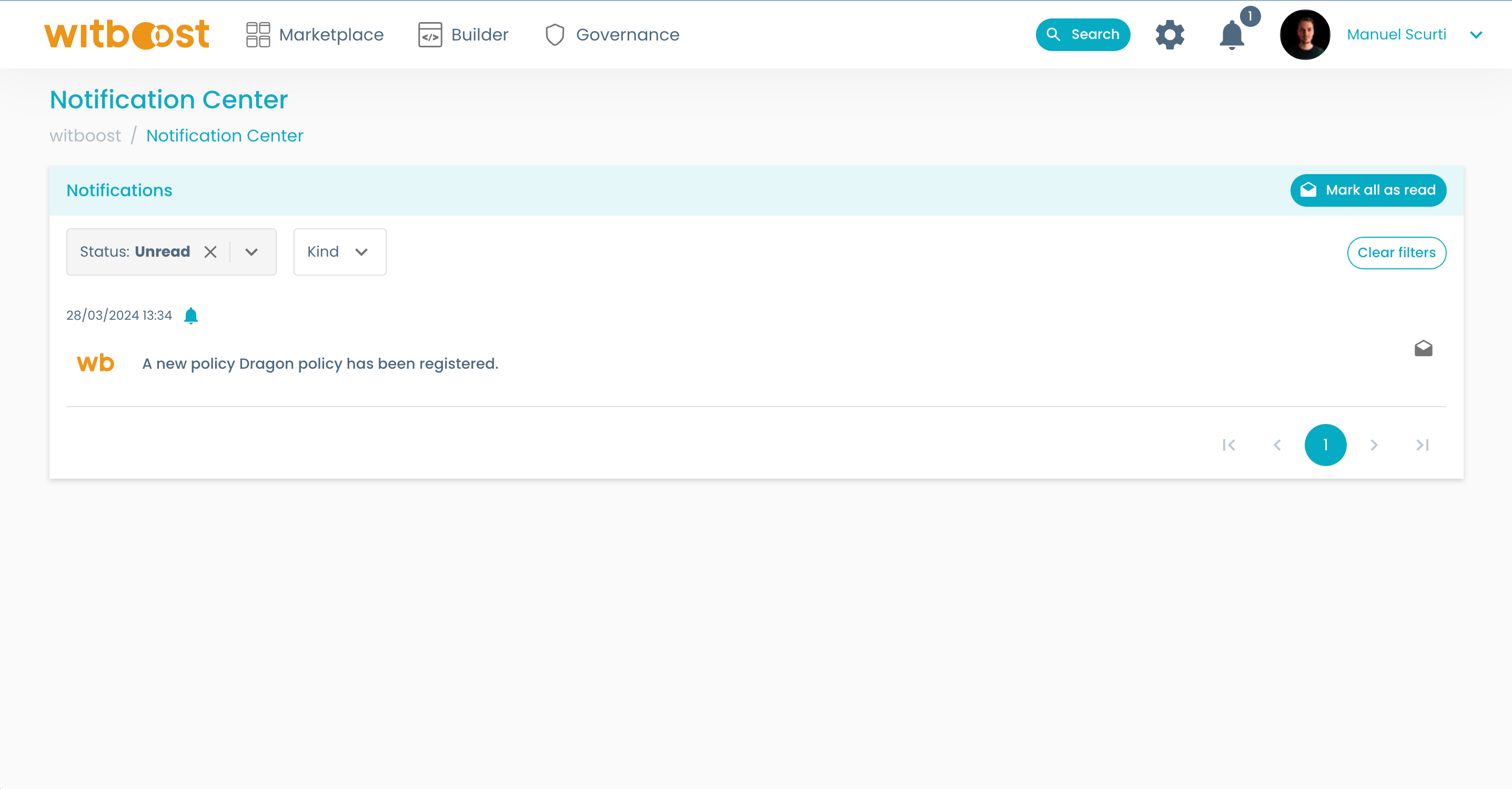
By default, the list of notifications will only show unread notifications.
To mark a notification as read, simply click on the icon on the right side of the list, as shown in the above image. You can also mark all new notifications as read by clicking Mark all as read.
If you clear the Status filter on the top left corner, you will have access to the history of all notifications:
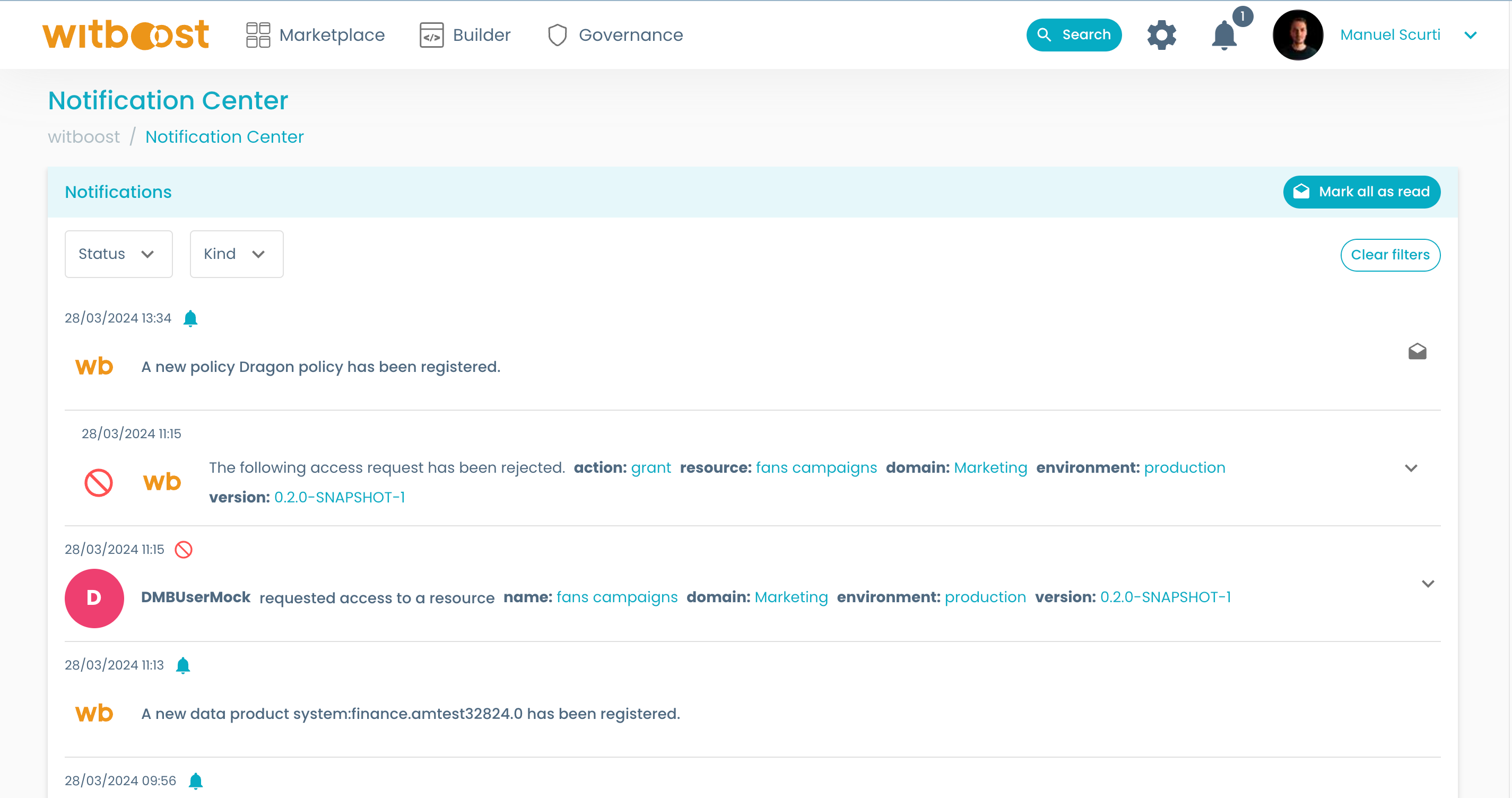
With filters you can reduce the number of notifications shown in the list, by selecting their:
- Status: either Read or Unread
- Kind: which is the kind of notification. whether those are Informative, Questions or Access Control notifications
Email Notifications
Some notifications may be delivered directly into your email inbox. Those cases are described in the table below.
| Event | Description | Send Notification | Send Mail |
|---|---|---|---|
| New Version | Sent when a new version of a data product is created. | ✔️ | ✔️ |
| New System | Sent when a new data product is registered. | ✔️ | ✔️ |
| New Template | Sent when a new data product template is registered. | ✔️ | ✔️ |
| New Domain | Sent when a new domain is registered. | ✔️ | ✔️ |
| New Policy | Sent when a new policy is registered. | ✔️ | ✔️ |
If you are going to receive an email or not depends on what are the settings decided by the platform team. The email used to deliver those notifications is the one that you use to login into Witboost.
Change Management Helper
The following section showcases the various customization options available.
Our platform offers flexible settings for notifications, allowing you to enable or disable them and choose the recipients based on specific events.
Here are the available customization options:
Notification Options:
| Event | Description | Send Notification | Send Mail |
|---|---|---|---|
| New Version | Triggered when a new version of a data product is created. | ✔️ | ✔️ |
| New System | Triggered when a new data product is registered. | ✔️ | ✔️ |
| New Template | Triggered when a new data product template is registered. | ✔️ | ✔️ |
| New Domain | Triggered when a new domain is registered. | ✔️ | ✔️ |
| New Policy | Triggered when a new policy is registered. | ✔️ | ✔️ |
Recipient Options
For each event, notifications can be sent to the following recipients:
| Recipient | Description |
|---|---|
| Data Product Consumer Owners | Refers to the owners of components that read from the subject data product. |
| Data Product Owners | Includes all users who own at least one data product. |
By leveraging these customization options, you can tailor the notifications to meet your specific needs and ensure that the right stakeholders receive the relevant information.