Skills
Skills are modular prompt sections that define Witty's behavior, persona and grounding rules. Witty ships with a set of default skills, and platform teams can add, edit, and disable skills to customize how Witty responds without redeploying.
Configuring Skills via the Administration Panel
Navigate to Administration > Extension Manager > Witty Skills to manage skills. This tab is visible only when the Witty module is active and the user holds the Extension Manager edit permission.
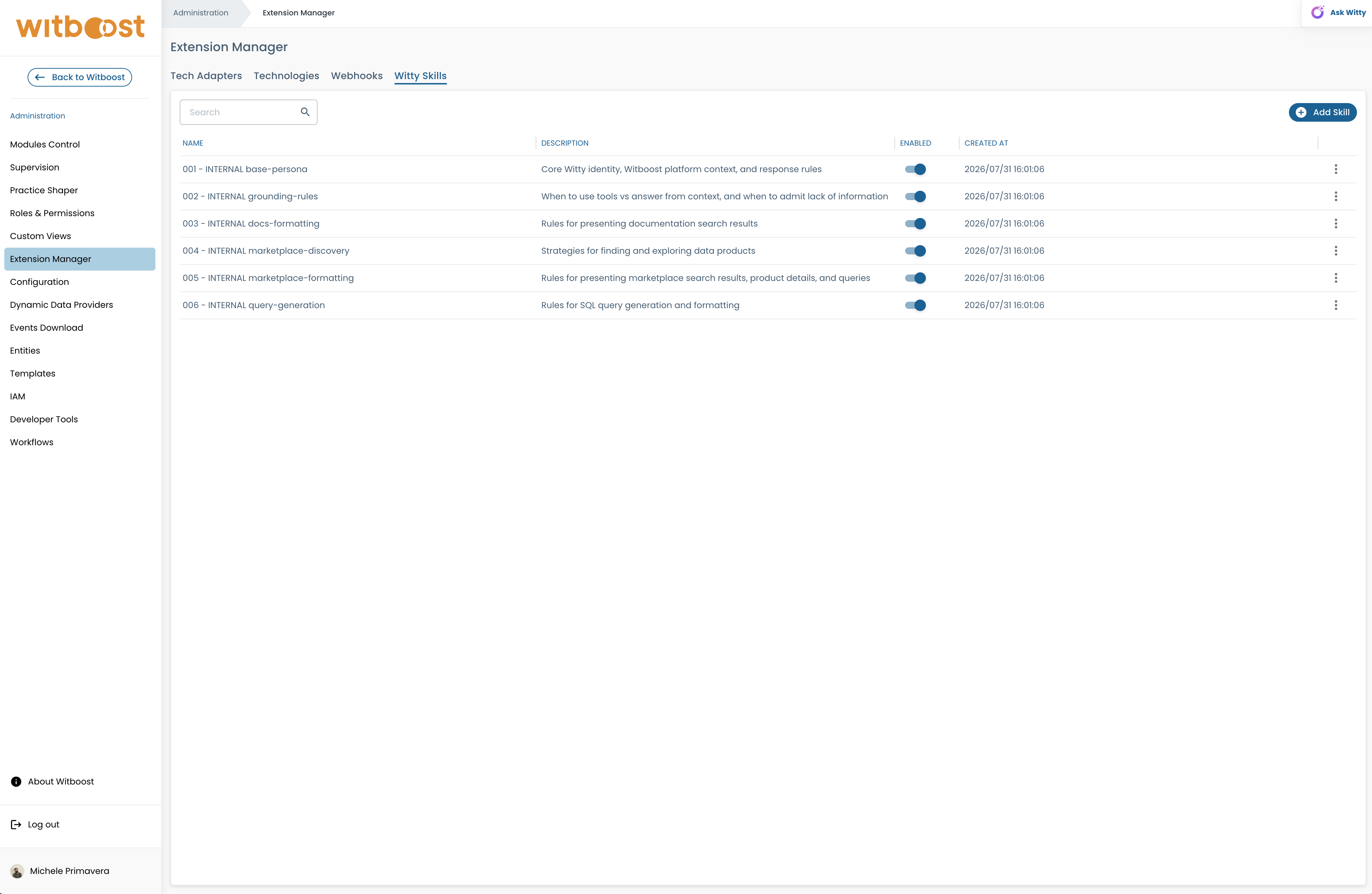
From this tab you can:
- Browse the list of configured skills, with name, description, enabled status and creation date;
- Search skills by name or description;
- Add a new skill, providing a name, an optional description, and its content written in Markdown;
- Edit an existing skill's name, description and content via a Markdown editor;
- Enable/disable a skill directly from the list, using the toggle in the Enabled column;
- Delete a skill that is no longer needed.
Disabled skills are excluded from Witty's system prompt. Changes made from the UI take effect immediately: Witty invalidates its internal agent cache as soon as a skill is created, updated, deleted, or reset.
Configure Skills via API
For programmatic or advanced configuration management, the following APIs are available:
GET /witty/v1/skills: retrieve the list of skills. Supports anenabled_onlyquery parameter;GET /witty/v1/skills/{skill_id}: retrieve a specific skill;POST /witty/v1/skills: create a new skill. The body is a JSON withname,description,contentandenabled;PATCH /witty/v1/skills/{skill_id}: edit a skill. The body is a JSON with the fields to edit;DELETE /witty/v1/skills/{skill_id}: delete a skill.