Quick Deploy
Quick Deploy is designed for data teams that need to iterate quickly during project development: edit a project, create or update its draft release, and deploy it repeatedly. In one action, Quick Deploy creates or updates the project's draft release using its configured source branches and submits it for deployment to a selected environment. The draft is not promoted: when it is ready to become an immutable release, use the standard release lifecycle. To access Quick Deploy, open a project in Builder; the Quick Deploy button is available in the top-right corner across all Builder tabs.
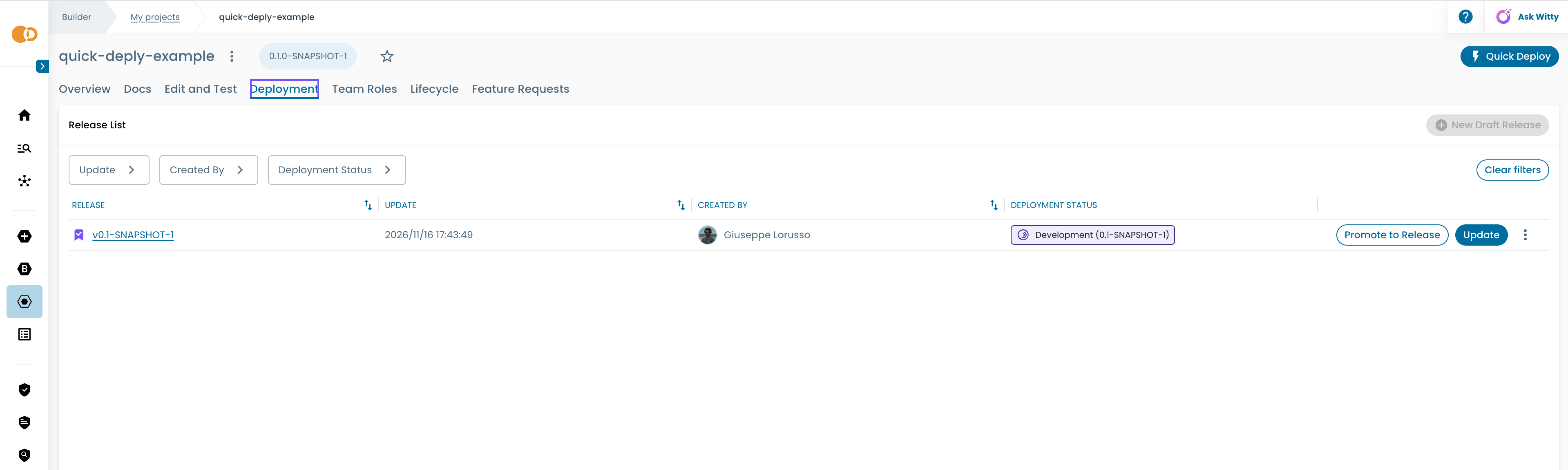
Use Quick Deploy
- Open the project in Builder and select Quick Deploy from the top-right corner.
- Choose the environment where you want to deploy. See Environment access and approvals to understand which environments are visible.
- Select Deploy. Quick Deploy prepares the deployment, creates or updates the draft, and submits the deployment request.
- Follow the operation in the Quick Deploy Activity panel. It shows progress for preparation, draft creation or update, and deployment submission, with logs for each step.
If a Quick Deploy is already running for the project, select View Quick Deploy to reopen its progress. Only one Quick Deploy can run for a project at a time.
If you are viewing the Quick Deploy Activity panel when its final sub-step, deployment submission, completes, you are automatically redirected to the provisioning page to monitor the actual deployment, which may still be in progress.
Environment access and approvals
To see an environment in Builder, one of your assigned roles must grant platform.environment.read.<env> for it. See Restrict environment access with RBAC for details.
Quick Deploy is unavailable when a deployment approval workflow is required for the selected environment. See the Deploy Approval guidance for details. Use the standard release flow to create or update the draft and request approval before deploying.
Use the Builder API
You can perform the same Quick Deploy workflow through the Builder API. See the Builder API reference for full request and response details.
Submit Quick Deploy for a project and environment:
POST /api/builder/v1/projects/{projectUrn}/provisioning/quick-deploy?env={environment}
An accepted response includes an operationId.
Poll the operation's status using the returned operationId:
GET /api/builder/v1/projects/{projectUrn}/provisioning/quick-deploy/{operationId}/status
Alternatively, stream progress updates, similar to those shown in the Quick Deploy Activity panel:
GET /api/builder/v1/projects/{projectUrn}/provisioning/quick-deploy/{operationId}/stream