Consume Data from the Marketplace
Prerequisites
- You can login to Witboost
Overview
The Witboost Marketplace allows you to access and consume products and more specifically consumable interfaces, which in this tutorial will be referred to as products and their output ports, aligning with the Data Mesh paradigm.
Once access is granted, you can use the product's output ports to retrieve the necessary data. Additionally, you can rate the product based on your experience and ask questions to the data owners for further details or clarifications.
By the end of this tutorial, you will be able to:
✅ Request access to a known product.
✅ Rate a product to provide feedback.
✅ Ask questions to the product team.
Requesting Access to a Product
If you already know which product you need, you can request access directly from its details page from its marketplace page.
-
Open the product details page:
- Open the Marketplace and type the name of the product in the search bar of Marketplace Homepage, then press Enter to land on the Marketplace Discovery page with your query applied.
- Select the product from the results (either on the Product List or the Product Map tab) to open its details page, where you will find all relevant metadata, documentation, and access options.
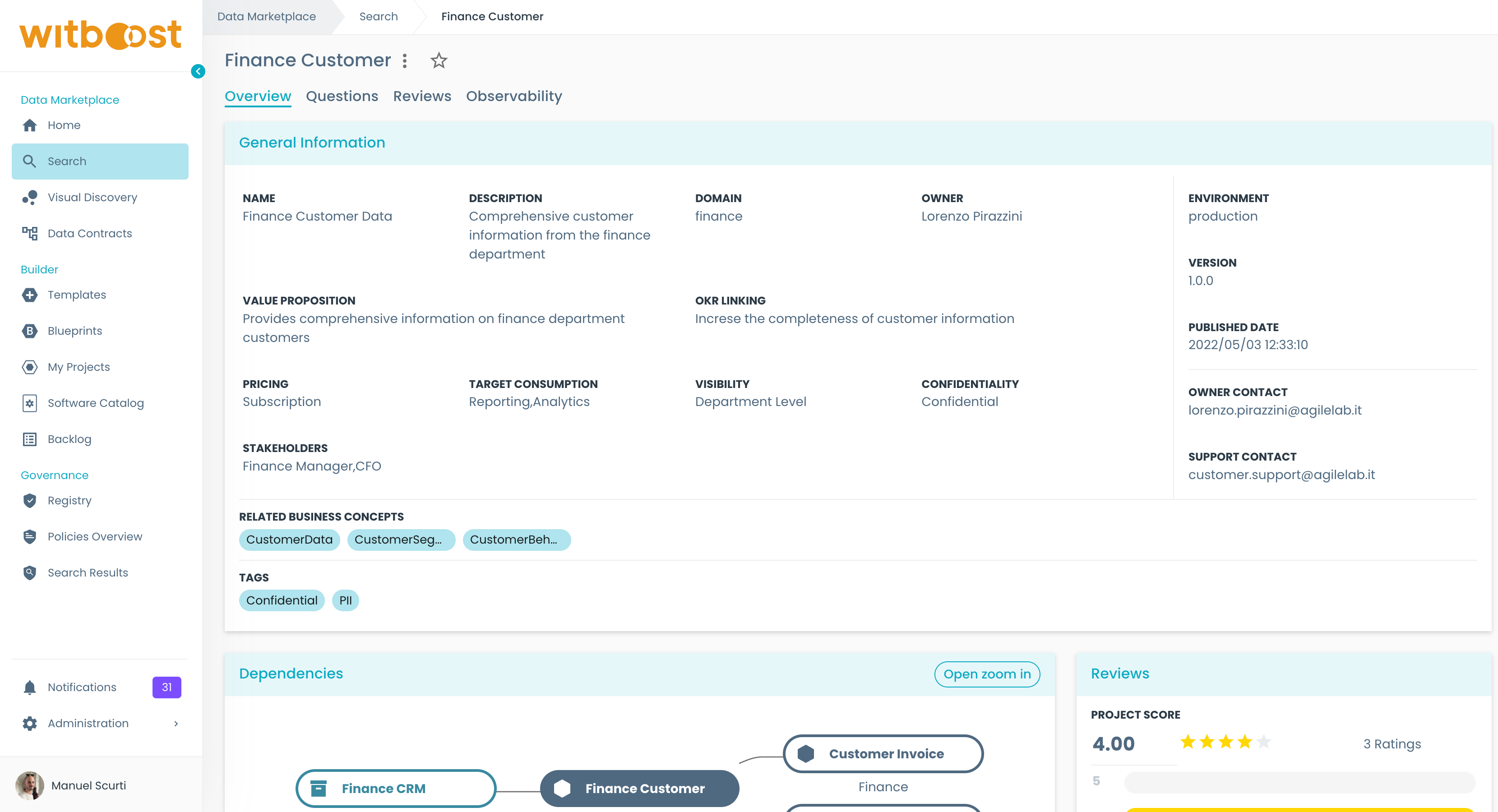
-
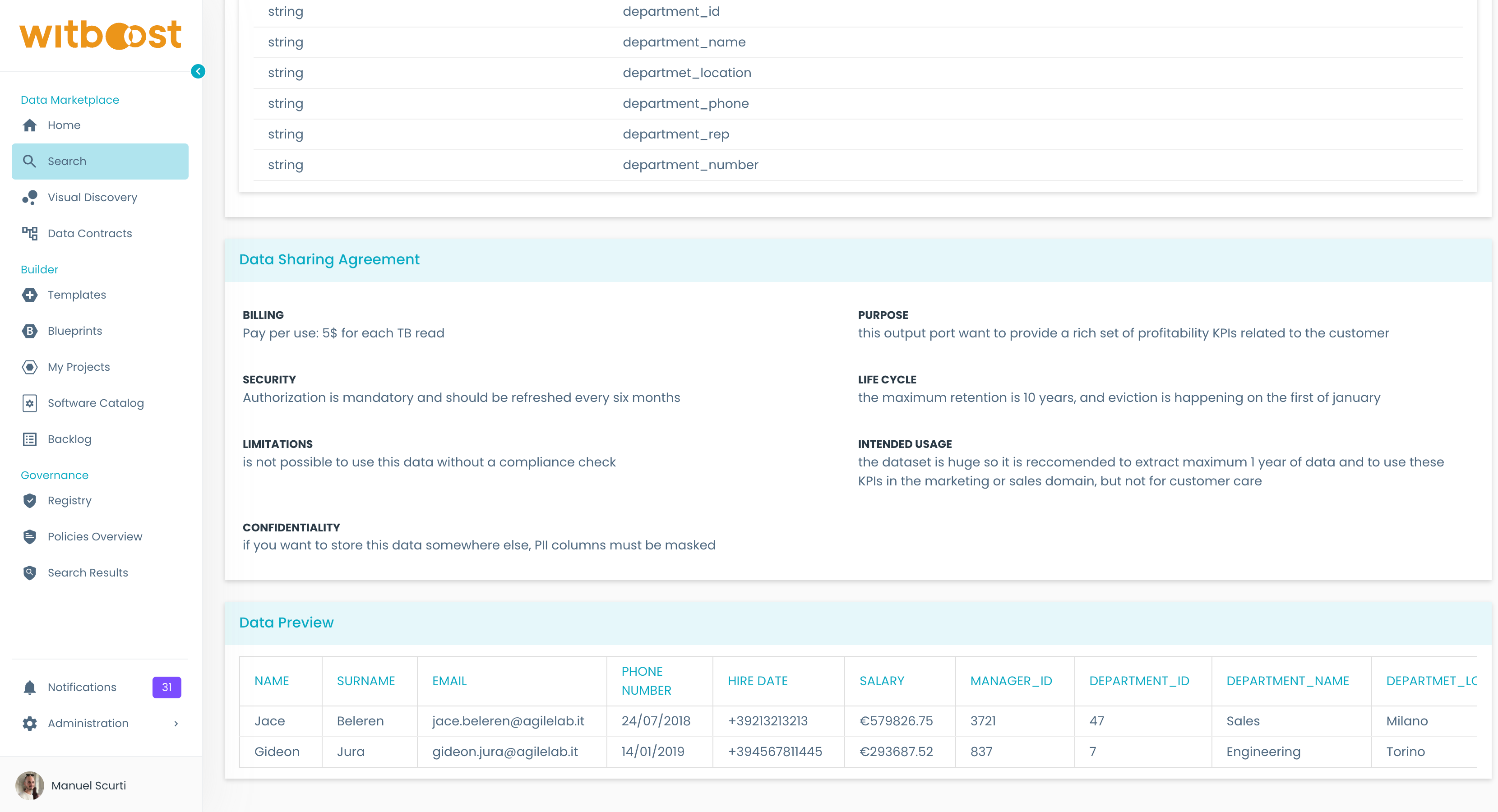
Select the Consumable Interface you want to consume. Consumable Interfaces, translated into Output ports in our example data landscape, define how data is exposed, such as APIs, datasets, or streams.
-
Review the product and consumable interface details:
- The Data Contract section provides crucial information about the schema, data sharing agreements, and data preview.
- Some consumable interfaces may have billing policies, so ensure you understand the costs before requesting access.
-
Click the "Request Access" button next to the selected consumable interface. Either from the Product overview page or from the Consumable Interface details page.
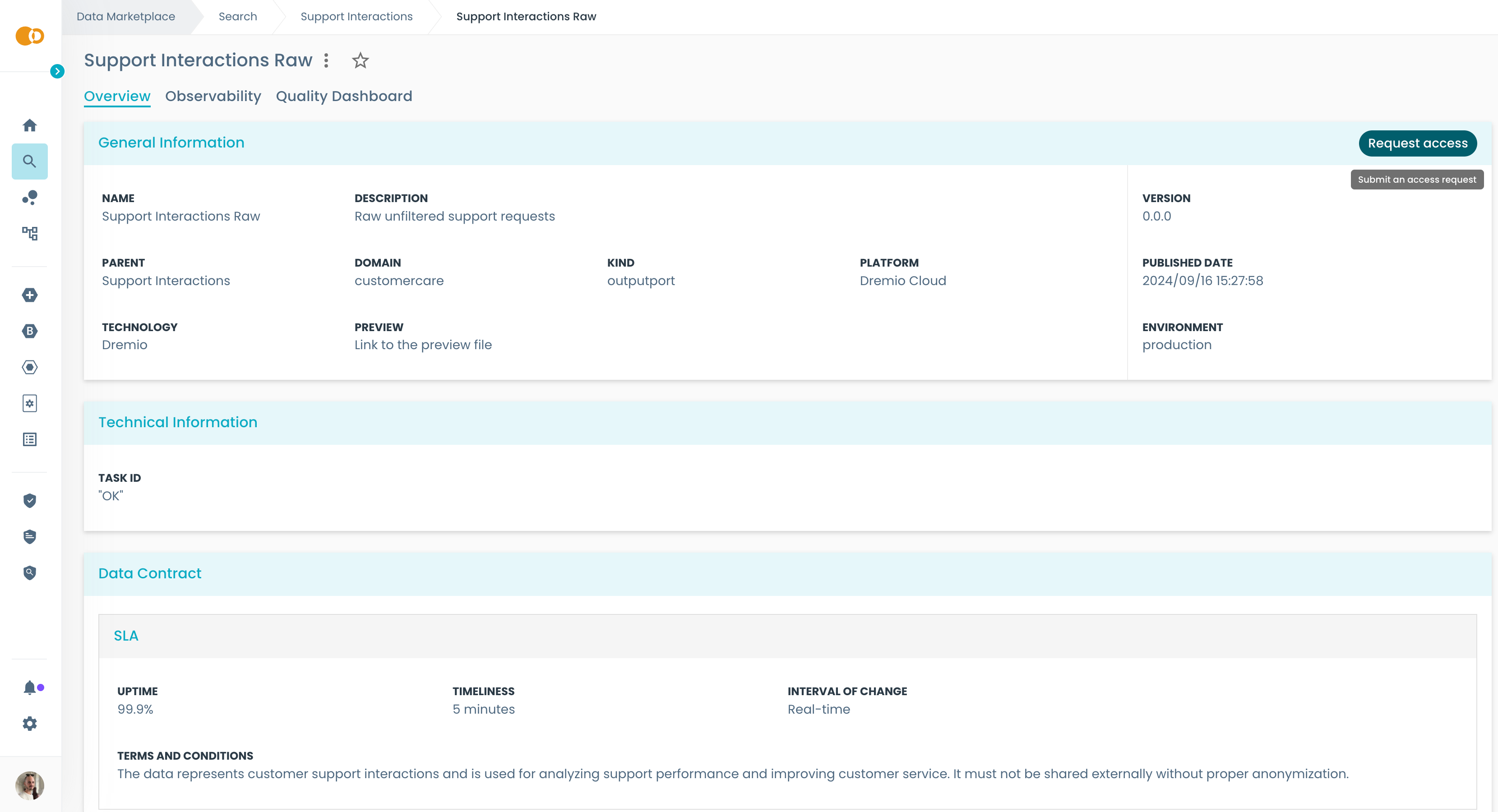
-
Complete the Access Request form:
- Specify the users or groups who need access.
- Provide a motivation explaining why you need access (this will be reviewed by the product owner).
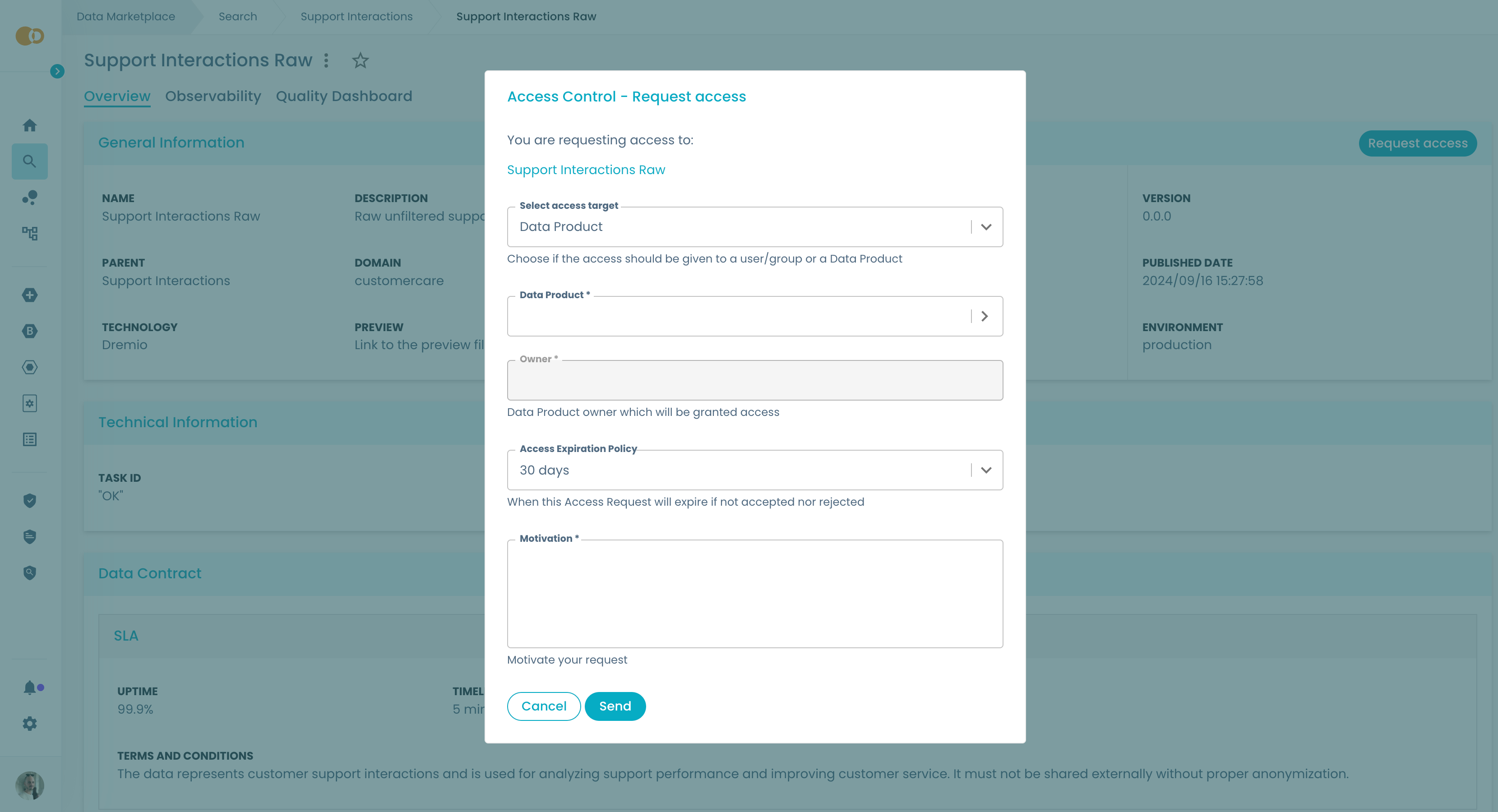
The set of information asked to you when requesting access to a resource may vary depending on your company's specific needs. In the above screenshot you are looking at an example access request form.
-
Submit the request. By clicking on the Send button.
What's next? Your access request is taken in charge by Witboost and delivered to the Product Owner (or Data Access Manager).
Access Requests Are Version-Specific
Access is granted for a specific version and environment of the product. If a newer version is released or deployed in a different environment, you will need to submit a new access request for that version.
Rating a Product
Providing feedback helps improve product quality and assists other users in selecting relevant product.
-
Navigate to the product details page.
-
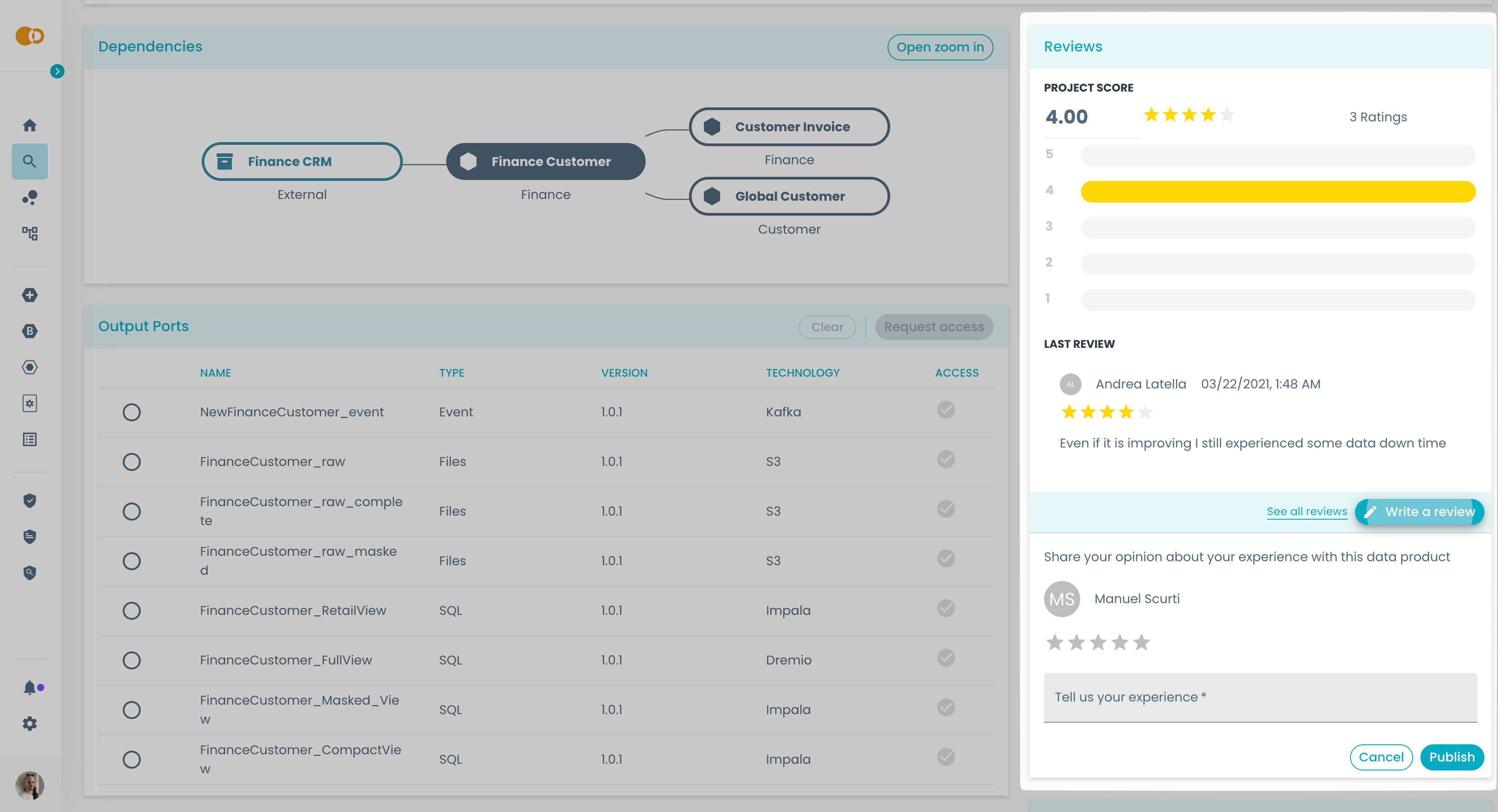
Scroll down to the Reviews section.
-
Select a rating (e.g., 1 to 5 stars) and add a comment to describe your experience.
-
Click Submit to publish your rating.
Ratings can help product owners improve their offerings based on user feedback.
Asking Questions About a Product
If you have any doubts or require further details about a product, you can ask the team through the Witboost Marketplace.
-
Open the product details page.
-
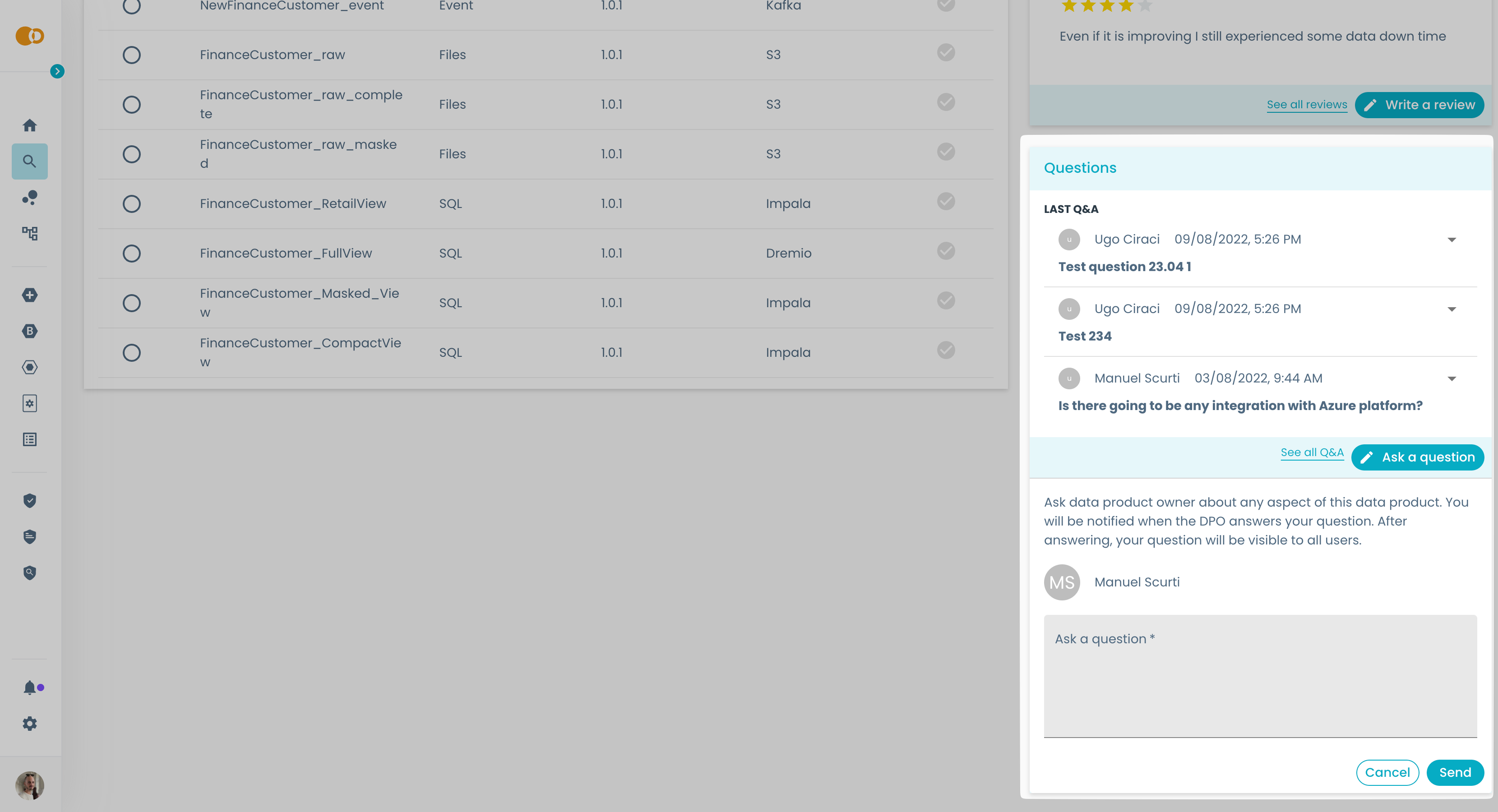
Scroll to the Q&A section.
-
Click "Ask a Question", write it, and submit it.
-
When the data team will respond you will receive a notification with the answer.