Generate a Personal Access Token (PAT)
In certain cases, you may need to generate a Personal Access Token (PAT) to authenticate with external services that are integrated with Witboost. For example, if you are using the Witboost CLI, you will need to generate a PAT to authenticate with the Witboost API.
To generate a PAT, from any page in Witboost:
- Click on your profile picture to access
Settings and Profilepage - Click on the
Advancedtab - Now you can generate an access token.
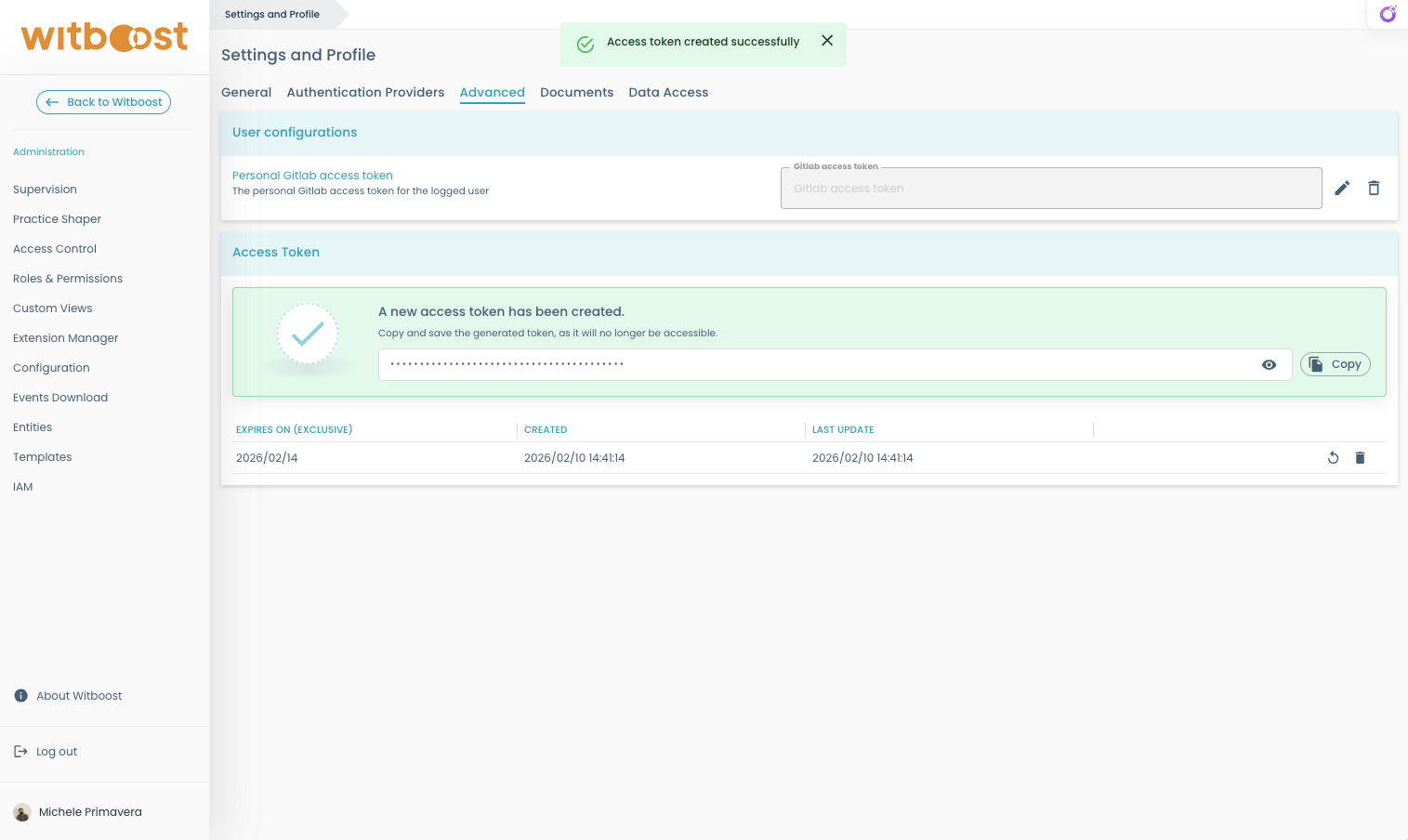
The generated token will have the following properties:
- Limit: each account can have only one active access token at a time.
- Expiration: tokens can optionally have an expiration date.
- Important: the token is only visible at the time of creation. Be sure to copy and store it securely, as you will not be able to view it again later.
Token Management
- Revoke: invalidate an existing token.
- Regenerate: create a new token while automatically invalidating the previous one.
This is useful if a token is lost or compromised.
The new token will keep the same expiration date as the original.To change the expiration date, revoke the old token and create a new one instead.
You can always come back and delete it if you need to add a new one.