Business Concept Map
Overview
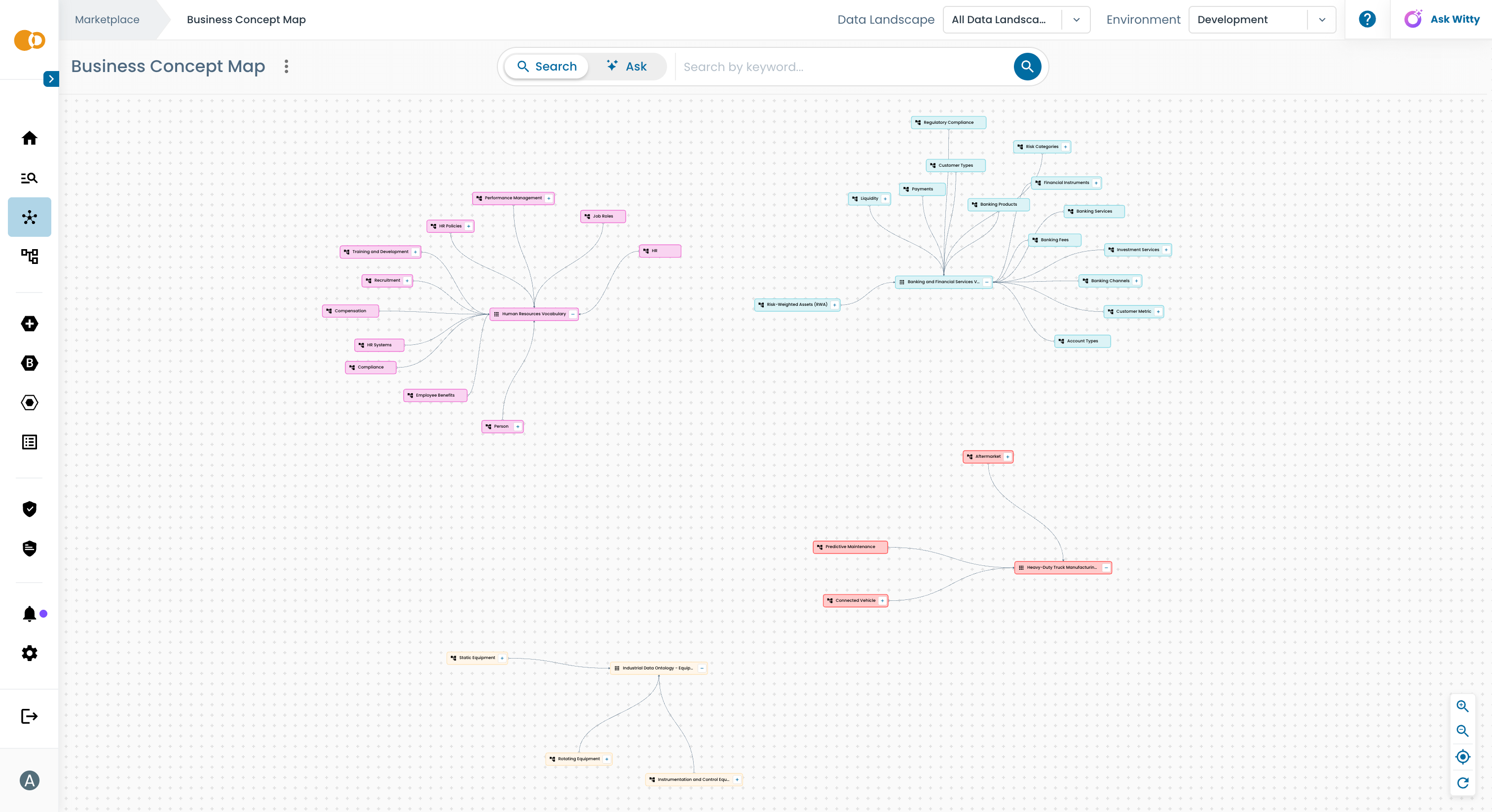
The Business Concept Map provides an intuitive way to explore the business language of your organization and discover the Products and Consumables that relate to those business terms.
Instead of searching by technical names or system structures, you can navigate through familiar business concepts and see how data aligns with them.
Availability
Whether the Business Concept Map appears in your Marketplace depends on configuration by your organization.
- The feature must be enabled and populated by your platform team.
- The concepts and relationships you see reflect the official business vocabulary your organization has chosen to publish.
Read the Graph
Concept Categories
Witboost classifies concepts into three kinds, as defined by the Business Concept Model (you can see a different icon for each in the graph):
| Kind | Meaning | Example |
|---|---|---|
| Root Concept | A collection that groups related concepts, such as a glossary or ontology. These are the "entry points" of the graph. | Customer Glossary or Customer Ontology |
| Concept | A business term or class within a vocabulary. Concepts form the main building blocks of the graph. | Customer or Liquidity Risk |
| Property Concept | A concept representing a property used to describe other concepts. Discover Property Concepts in the map by inspecting the Concepts connected to them. | Registration Date or Customer Age |
Explore Concepts
Search and Ask
Use the search bar in either of these modes:
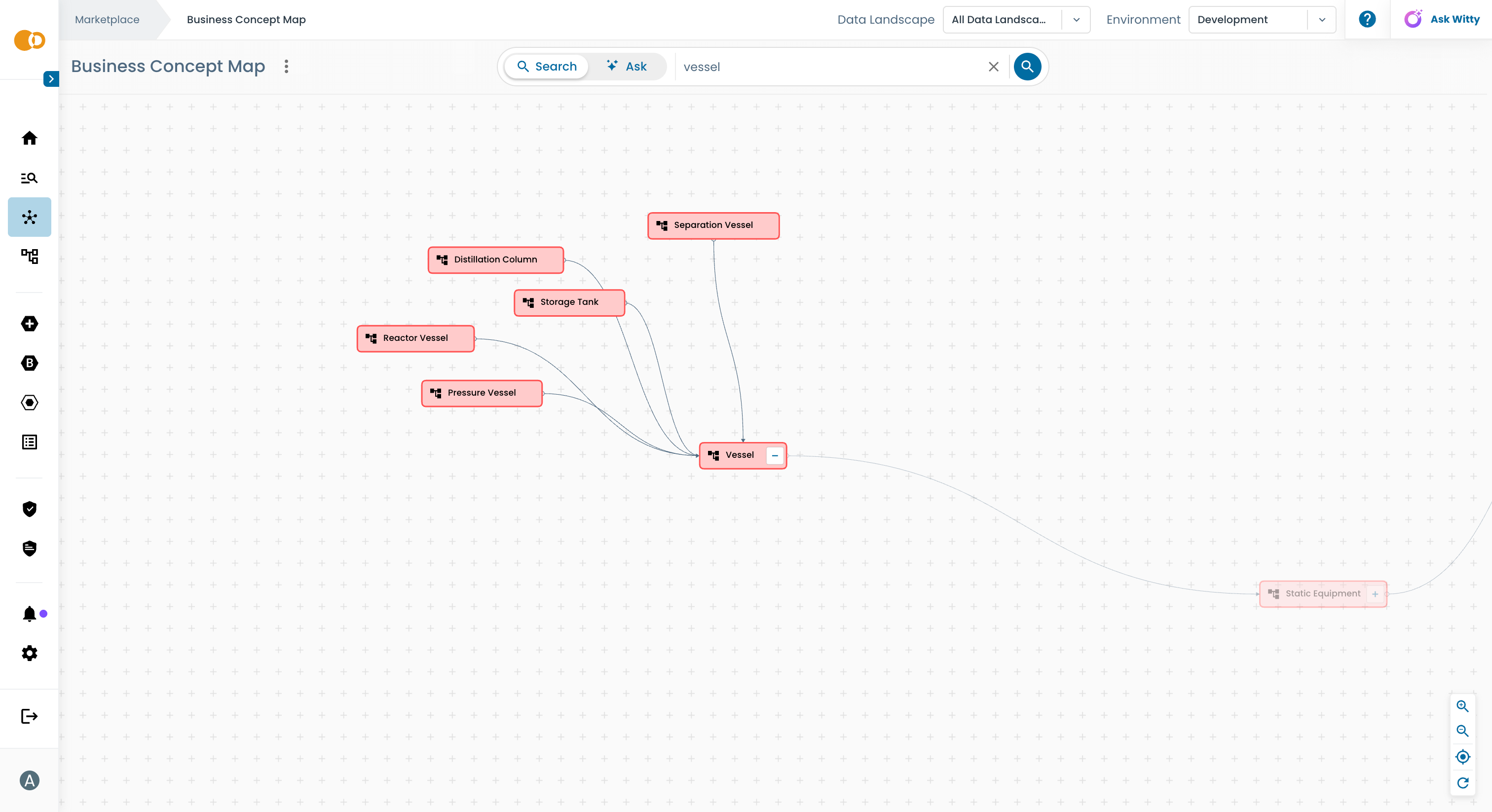
- Search finds concepts whose configured labels, synonyms, or descriptions contain the words you enter. Use it when you know the expected wording.
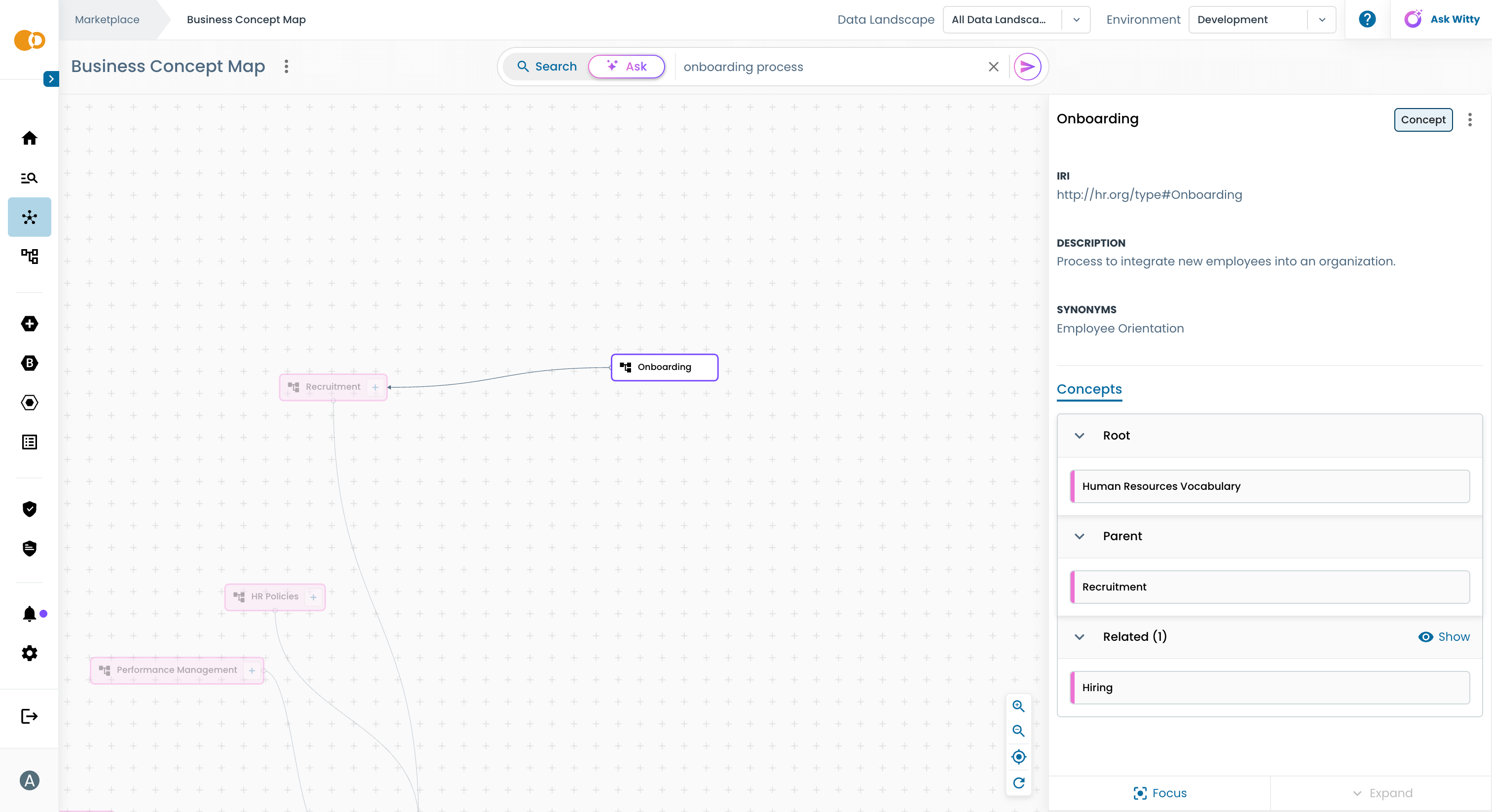
- Ask finds concepts by meaning. Use it to describe a process or business need even when you do not know the exact concept name. For example, asking for onboarding process can surface concepts whose definitions describe onboarding without using that exact phrase as their label.
Ask is available only when semantic search has been enabled and prepared by your platform team. Results are ordered by relevance in both modes; they are not an alphabetical or exhaustive list of every concept in the map.
Inspect Concepts
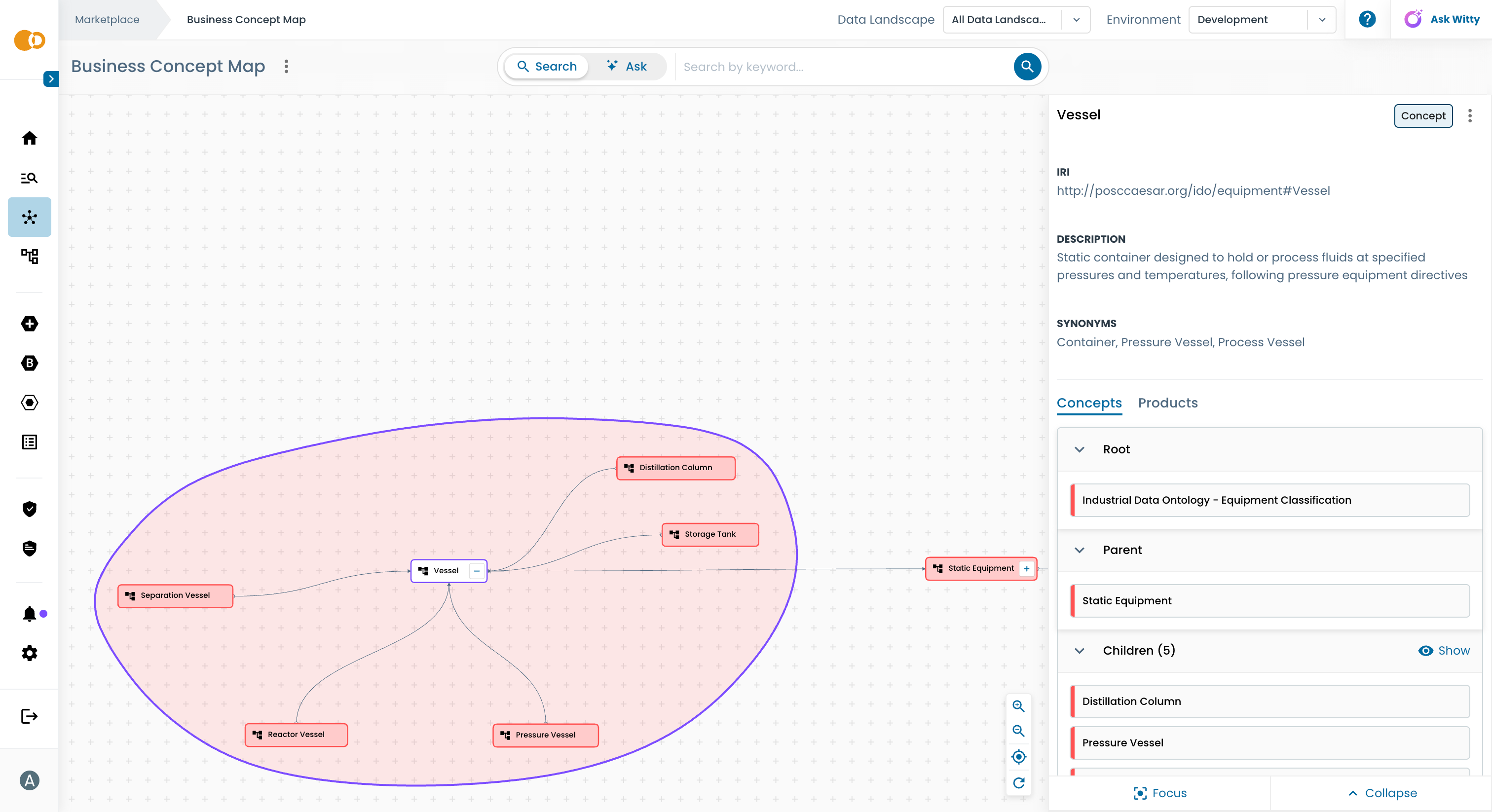
Inspect a concept to discover details such as its IRI, kind, description, and synonyms. They provide a clear understanding of what the concept represents.
View Products and Consumables Linked to a Concept
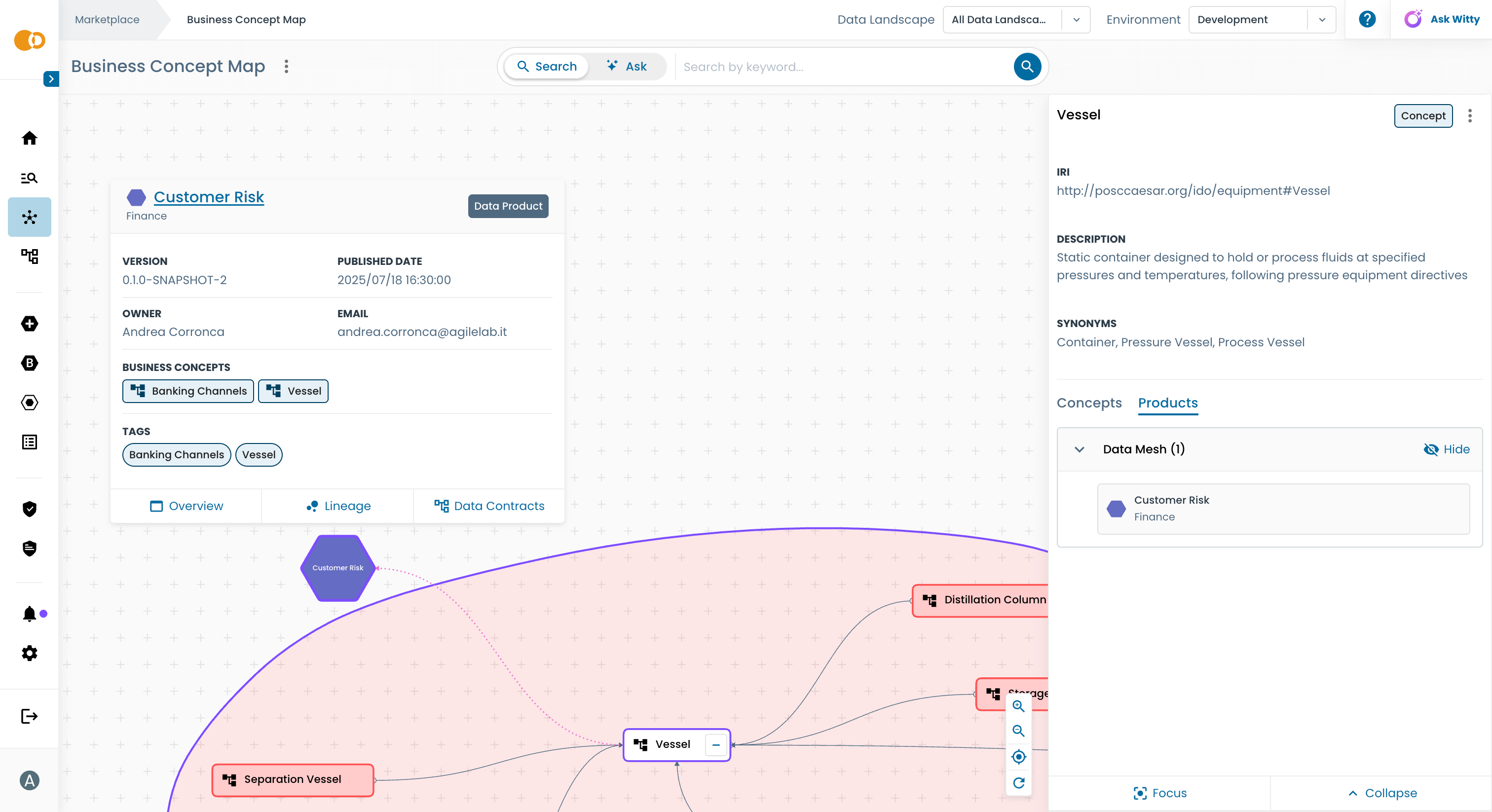
Show Products and Consumables associated with the selected concept and its descendants, helping you see the full scope of data available around that business area.
Navigate Across Related Topics
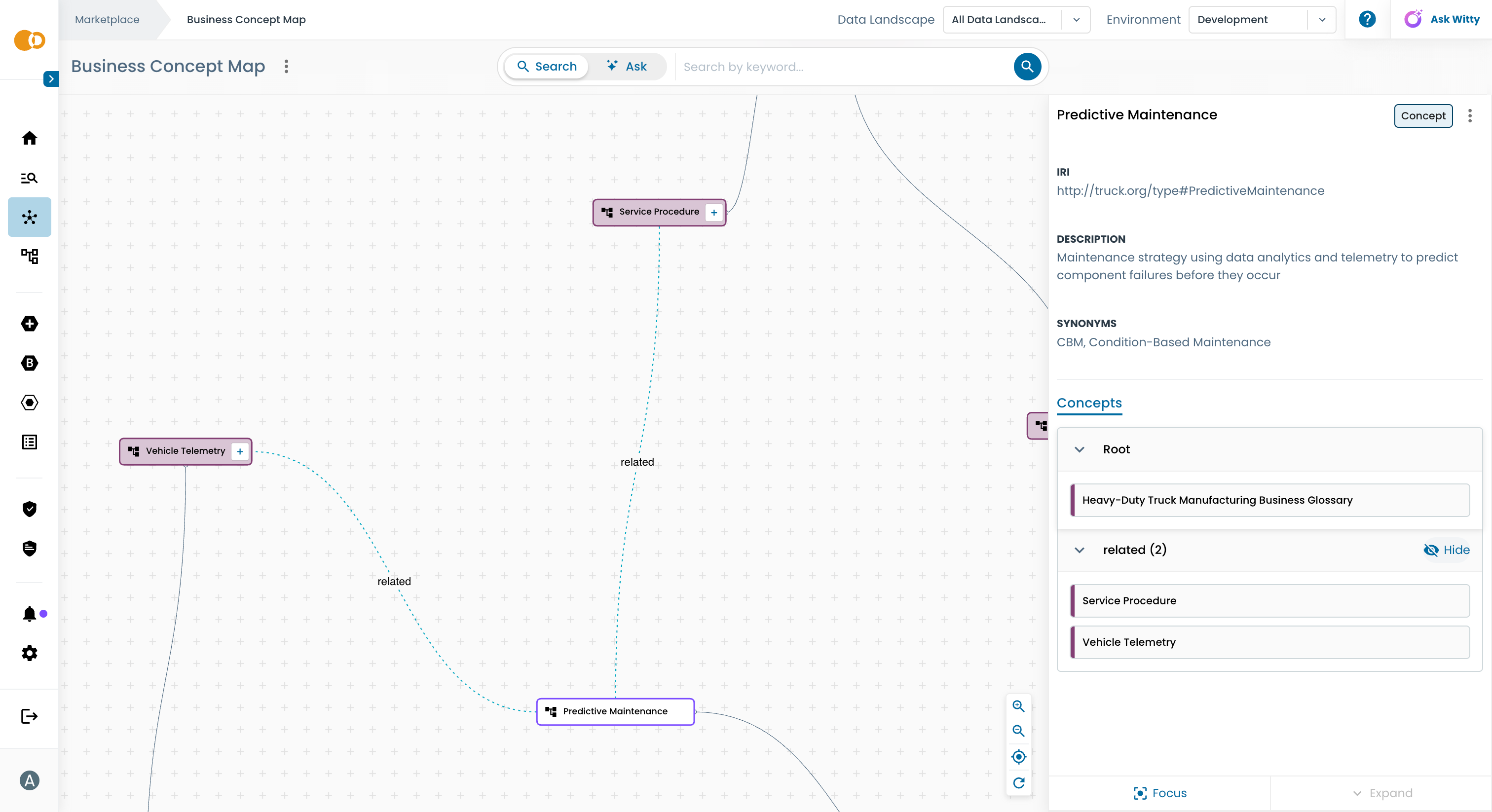
To broaden your understanding of the business landscape, you can navigate across related topics and display their relationships through the details panel. This allows you to explore interconnected business areas and discover related concepts.
Related Links
- How to Integrate Business Concepts (for Product Developers)
- How to populate the Business Concept Map (for Platform Teams)