Version 2.12.0+
Witboost 2.12 helps organizations find the right data faster, understand what it means for the business, and deliver changes with less manual effort, with AI assistance throughout.
- AI-powered assistance: Get help from specialist agents in Witty, the AI assistant built into Witboost, or work with Witboost from the AI tools you already use.
- Smarter data discovery: Describe the data you need in everyday language, and explore how business terms connect to the data that supports them.
- Streamlined delivery: Deploy changes in one step, automate releases from your own tools, and track each System's progress through configurable lifecycle approvals.
This page covers 2.12.0 and subsequent 2.12.x patches. Fixes and minor improvements are listed under their release version.
Features
Control Plane
Where teams build, release, and deploy Data Products and other Systems.
Quick Deploy: go from change to deployment in one step
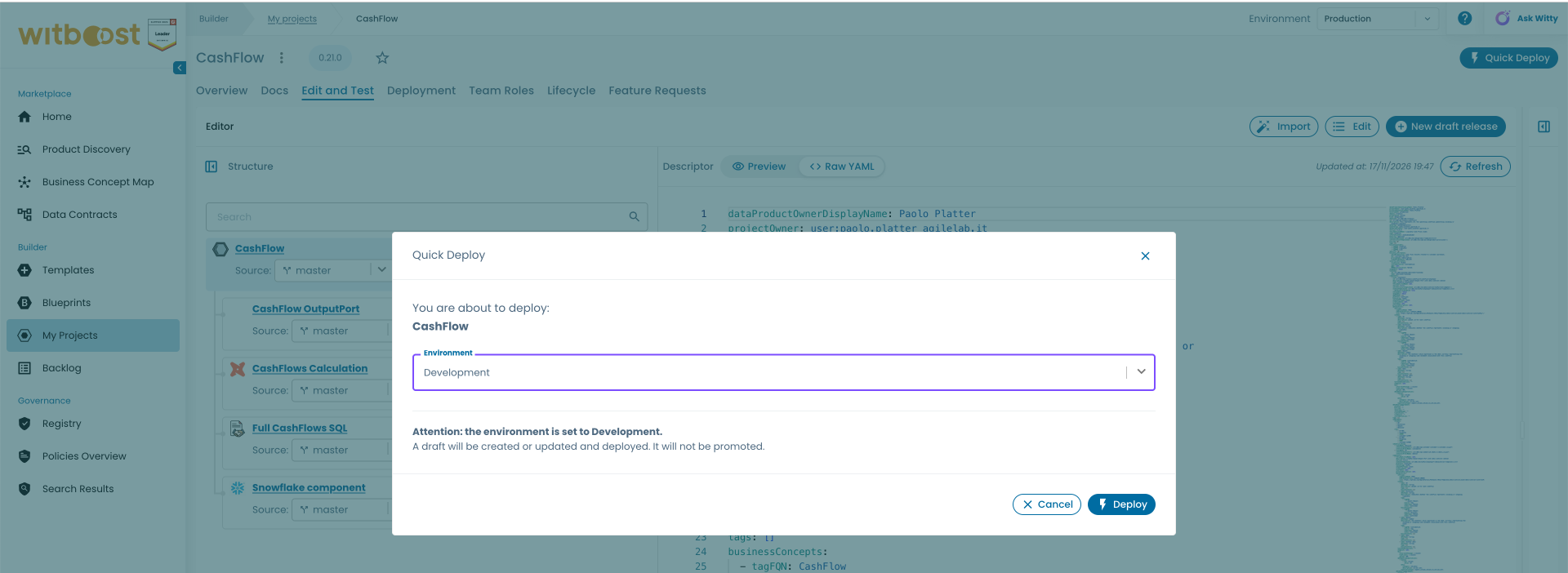
Updating a Data Product used to take three steps: edit it, create a release, then deploy. Quick Deploy goes straight from your edits to deployment: choose a target environment, and Witboost creates or updates the release for you and starts deploying it.
This is especially useful while iterating in a development environment. Adjust a transformation, deploy it, check the result, and repeat, without stopping to prepare a new release each time.
Release APIs and MCP: automate releases from your own tools
Run release management from CI/CD pipelines, scripts, and AI assistants, not only from the Witboost interface. New APIs and MCP tools can create, update, promote, and deploy releases of a Product so Witboost becomes part of your existing automated delivery process. Where Quick Deploy streamlines the interactive workflow, these tools serve automation.
Manage releases and deployments through the API.
System Lifecycle: see what each System needs to move forward
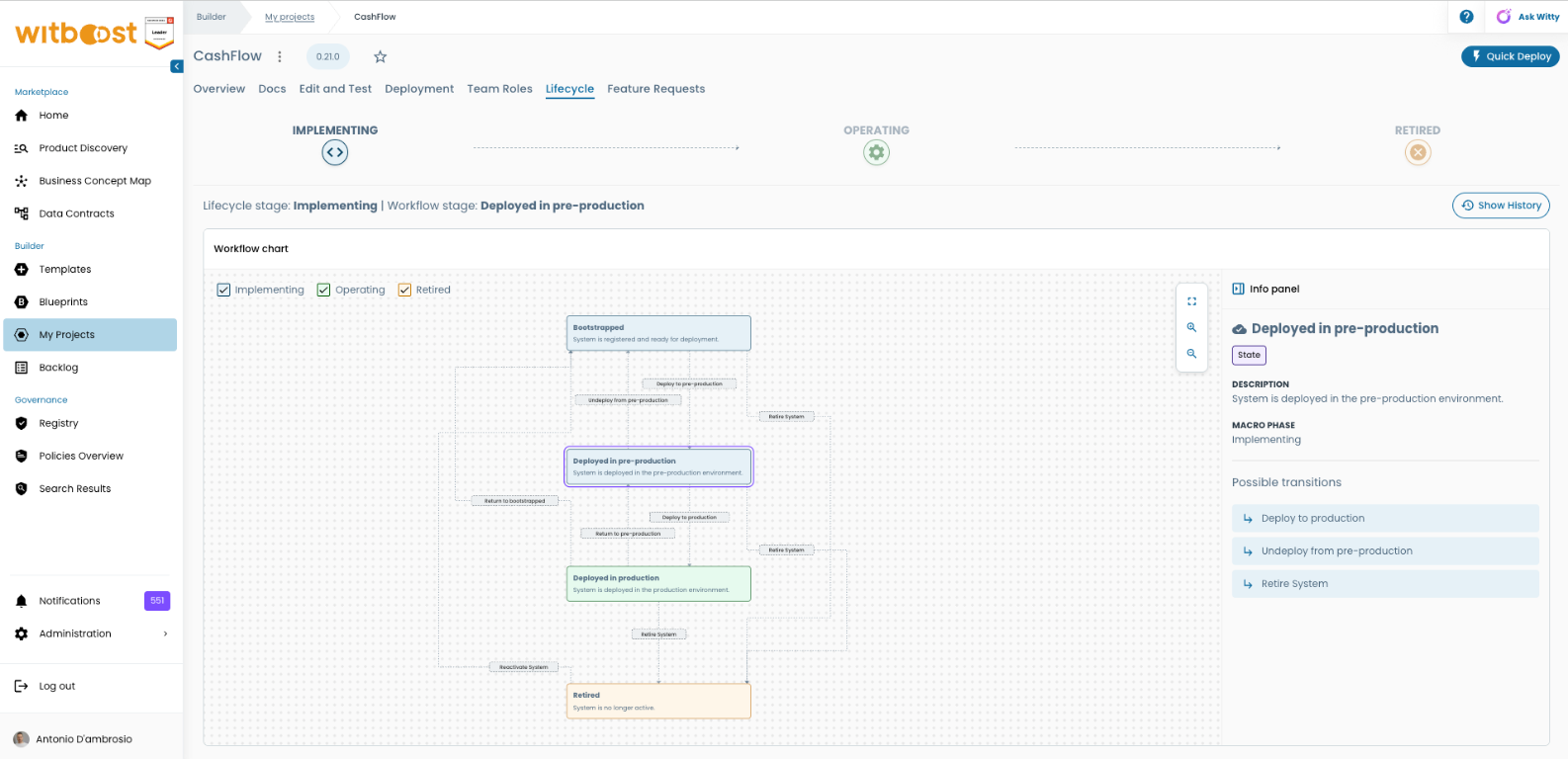
Know where every System, such as a Data Product, stands from implementation through operation to retirement, and what it needs to reach the next stage. System Lifecycle workflows model these stages with configurable approvals. Deployments and approval decisions can advance the workflow, while Builder shows the current stage, outstanding requirements, and history.
A Platform Team configures a lifecycle for customer Data Products:
- When the team registers a new Data Product, its lifecycle starts in Implementing.
- As soon as it is deployed to pre-production, the Governance Team automatically receives an approval request.
- Once Governance approves, the Domain owner is asked to approve next.
- After both approvals and a production deployment, the Data Product moves to Operating. When it is unregistered, its lifecycle ends in Retired.
At every step, the Data Product team can see in Builder what has been approved and what is still pending, with no need to chase reviewers by email.
Explore System Lifecycle workflows.
Market Plane
Where people discover, understand, and access published data.
Semantic discovery: search for data in your own words
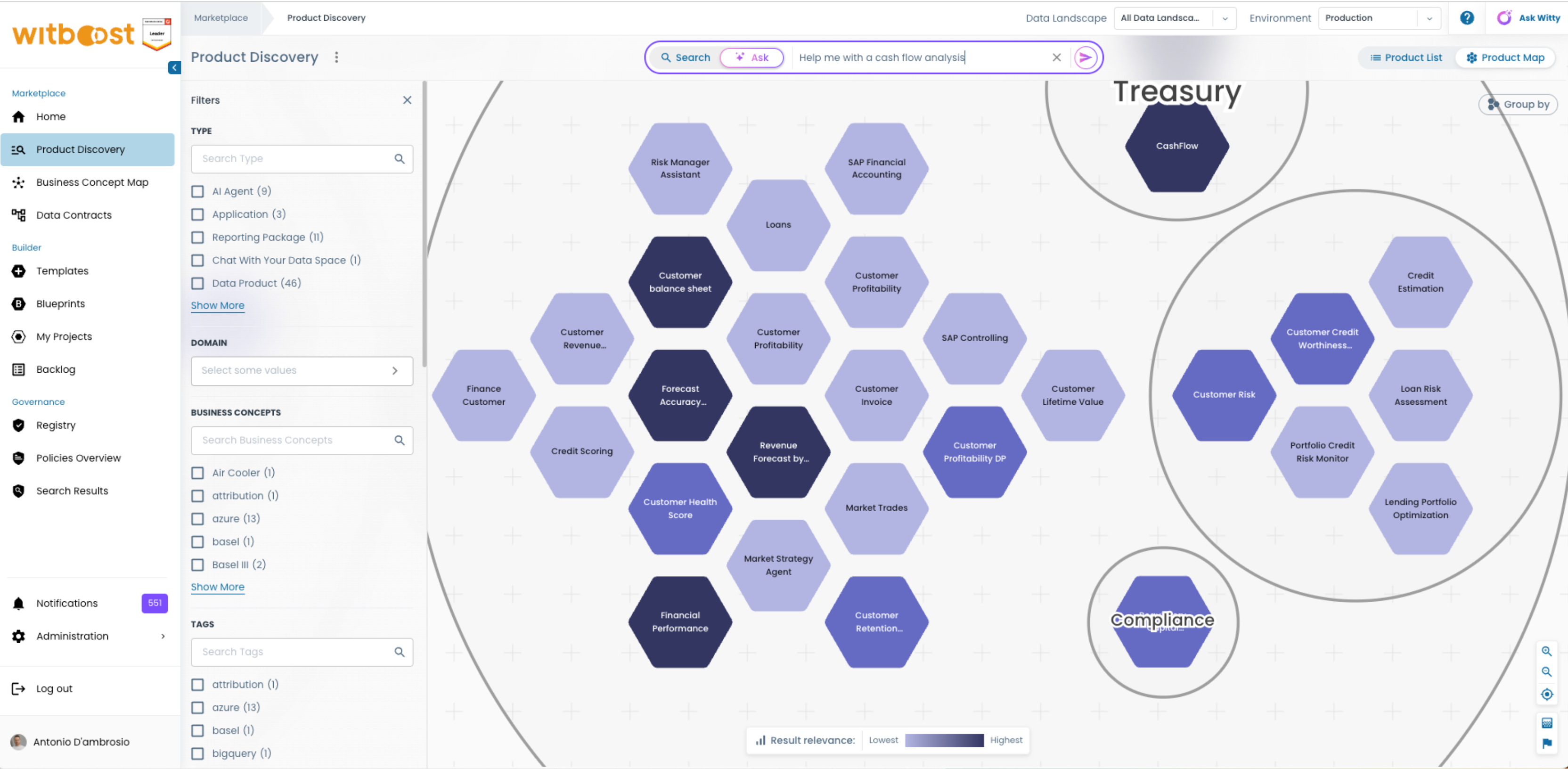
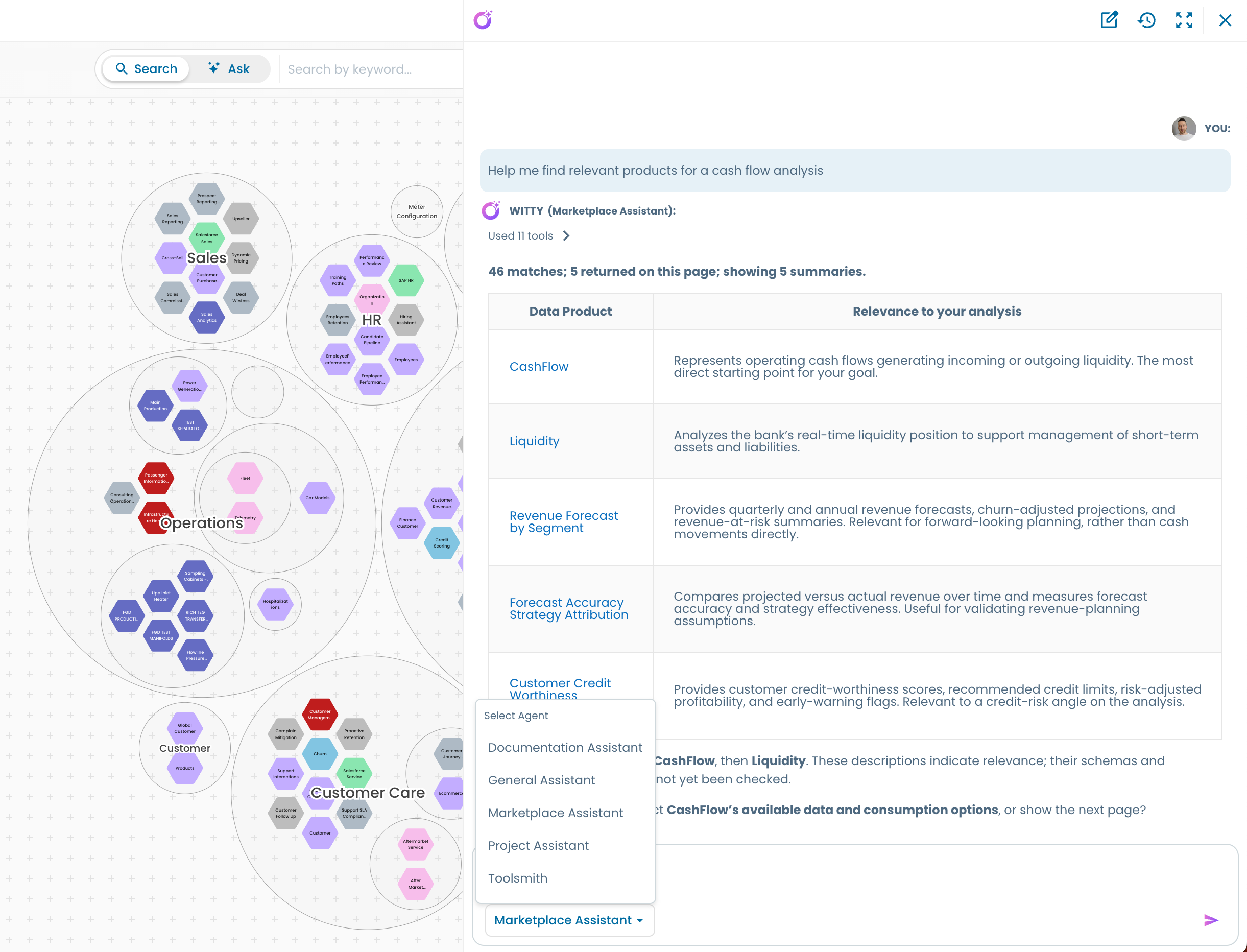
Find relevant data even when you do not know what its producers called it. In the Marketplace, the new Ask mode lets you describe what you need in everyday language and returns Products and Consumables with related meaning: for example, Data Products and the Output Ports through which consumers access their data. The same discovery tools power Witty's Marketplace Assistant and are available to other applications through APIs and MCP.
An analyst researching purchasing trends could search for "customer spending over time" to find relevant Data Products and Output Ports.
Availability: Requires a Witty license and configuration and enablement by the Platform Team.
Read about keyword and semantic discovery, set up semantic search, or configure semantic content.
Business Concept Map: understand a business area at a glance
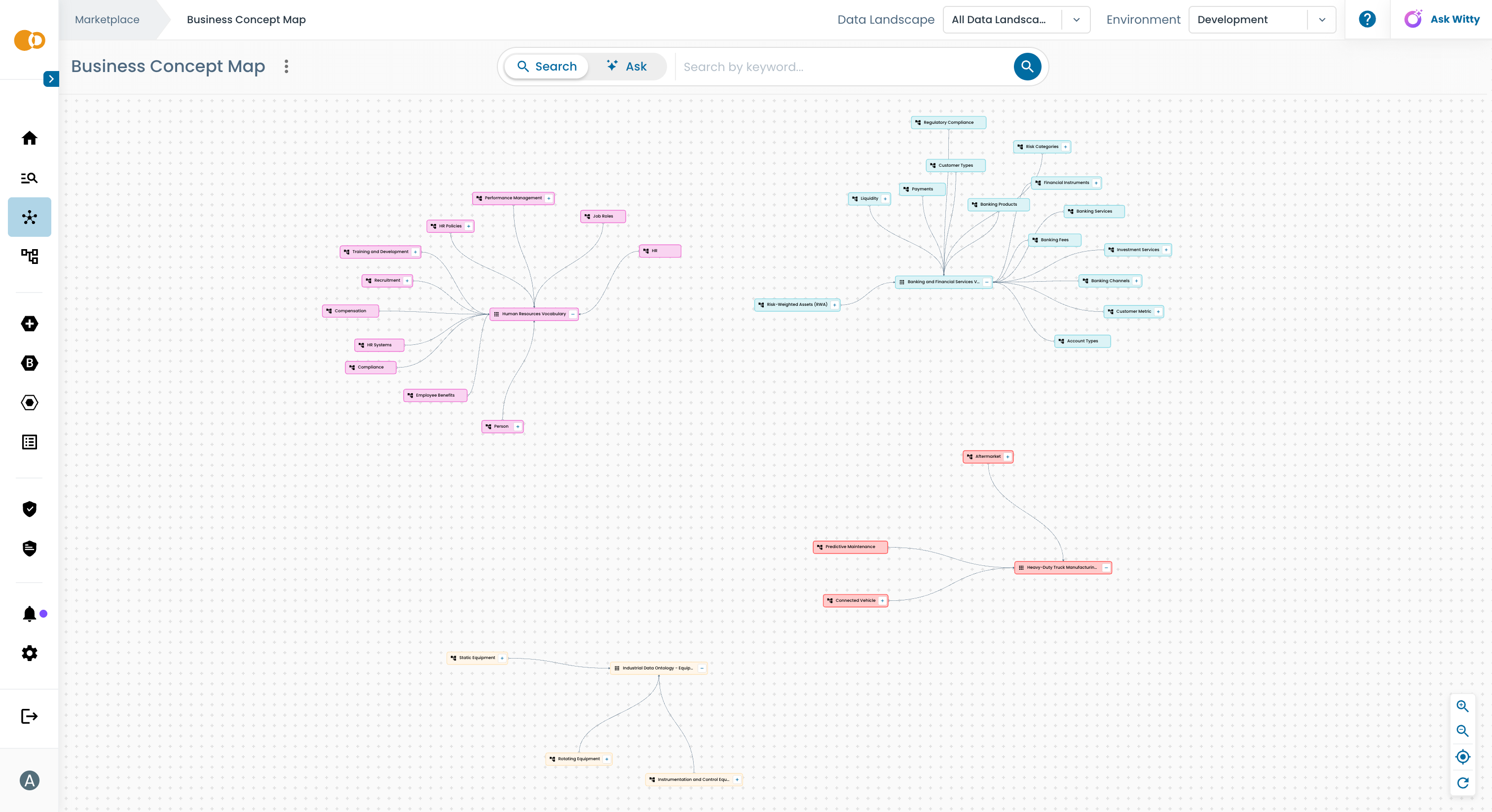
Get oriented in an unfamiliar business area before choosing data. Business Concepts are the terms your organization agrees on, such as Customer or Revenue, together with their definitions and relationships. The redesigned Business Concept Map presents this vocabulary as an interactive graph: explore business domains, follow how concepts relate to one another, and read each concept's description and properties.
Explore the Business Concept Map.
Business Concept search: find the right business term
When you do not know the official term, describe it instead: searching for "customers who stop buying" could surface a concept such as Customer Churn, if your vocabulary defines one. Semantic search is now available in the Business Concept Map, through Witty's Marketplace Assistant, and through APIs and MCP tools.
Availability: Requires a Witty license and configuration and enablement by the Platform Team.
Learn how to Search and Ask in the Business Concept Map or set up Business Concept semantic search.
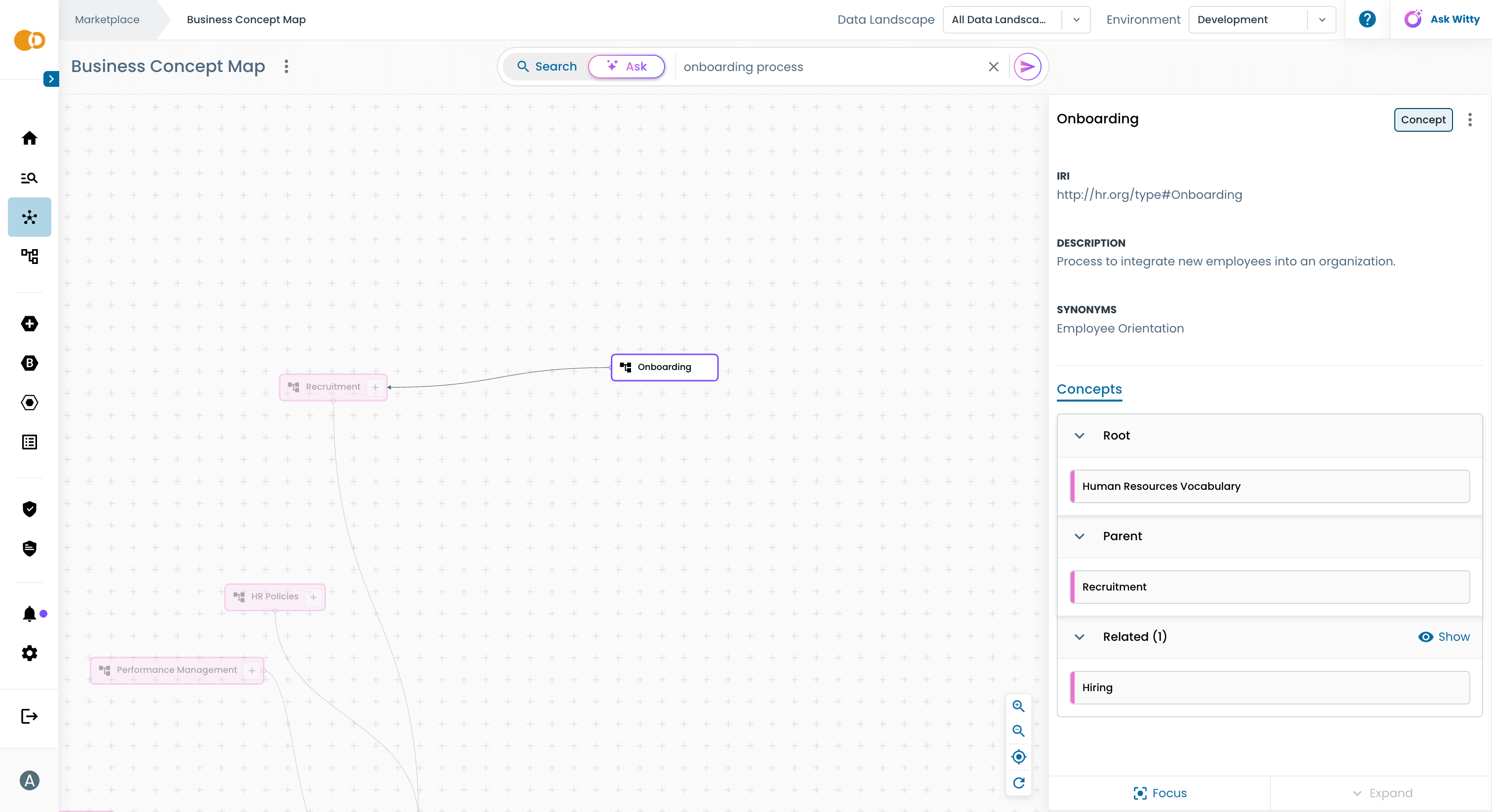
Business Concept links: connect business meaning to data
Make data discoverable by what it means to the business, not just by its technical name. Data Product teams can link their Products and Consumables to Business Concepts. Consumers can then start from a concept, such as Revenue, to find related Data Products and Output Ports, or start from an Output Port to understand the business concepts it represents.
Link Business Concepts to Products and Consumables.
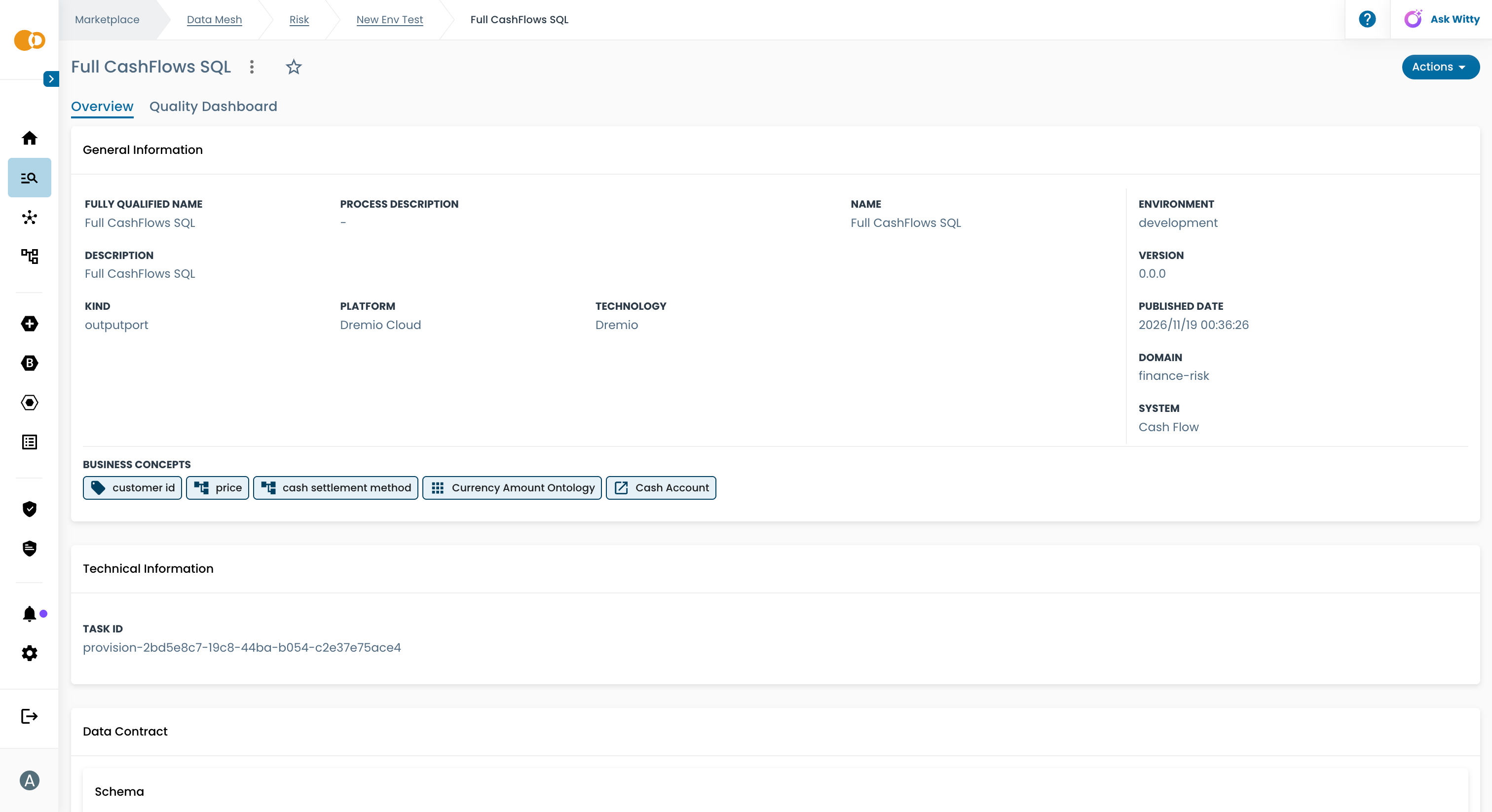
Business Concept Models: reuse the vocabulary you already have
Many organizations already maintain business vocabularies in standard RDF formats, such as SKOS taxonomies or OWL ontologies. Business Concept Models let Platform Teams bring these vocabularies into Witboost without rebuilding them, defining how their terms, descriptions, hierarchies, properties, and relationships appear in the Business Concept Map and business concept picker. One maintained vocabulary then supports both data discovery and describing Projects.
A bank with an OWL ontology of customers and accounts can explore those concepts in the map and select them when describing Data Products, without maintaining a separate glossary.
Explore supported vocabularies and model setup.
AI Capabilities
Where AI assistants help people work with Witboost, inside and outside the platform.
Multi-agent Witty: specialist AI help in one conversation
Witty, the AI assistant built into Witboost, now works as a team of specialized agents. Start with General Assistant, which handles your request or passes it to the right specialist, or choose one directly: Marketplace Assistant helps you find data, and Documentation Assistant answers questions about using Witboost. Where available, Witty uses the page you are viewing as context.
Agents can also act for you through assigned Witboost MCP tools, always within your Witboost permissions. Platform Teams can tailor Witty to their organization by creating custom agents, assigning skills, and connecting external tools. External MCP tools require Platform Team configuration and capability assignment, with authentication and user authorization where required by the server.
Read the Witty user guide, explore Witty agents, or connect external MCP tools.
Witty model support: use models that require the Responses API
Witty now supports the Responses API, so you can use AI models (e.g., gpt-6.1-sol) that require it to work with tools such as Marketplace search.
Configuration: Enabled by default for new model configurations. Platform Teams can turn Use Responses API on or off under Administration > Configuration > Witty Language model > Advanced settings, depending on their AI provider's support.
Configure Witty's model connection.
Witboost MCP: bring Witboost into the AI tools you already use
Work with Witboost from AI chat applications and coding assistants through the Model Context Protocol (MCP), an open standard for connecting AI assistants to external tools. More than 100 Witboost MCP tools span Builder, Governance, Marketplace, and Administration:
- Discover data: Search Products and Consumables, inspect descriptors, and explore lineage and Business Concepts.
- Request changes: Submit Feature Requests and follow their status.
- Automate delivery: Discover templates, create Projects and components, validate descriptors, and manage releases and deployments.
- Check governance and progress: Look up policies and metrics, workflow status, and System lifecycle history.
The same tools can be assigned to Witty agents. Every operation uses your Witboost permissions.
Platform & Installation
Where Platform Teams configure, secure, and operate their Witboost installation.
Environment visibility: show each role the environments it needs
Keep Witboost focused for every audience. Environment-level RBAC (role-based access control) lets Platform Teams choose which deployment environments each role sees in Marketplace, Builder, and Governance. Business analysts can browse only production data, while delivery teams also see development and test environments.
Scope: These permissions are intended to tailor UI visibility, not introduce an additional API security boundary. API authorization remains unchanged.
Configure environment visibility.
Azure Managed Identity: connect to PostgreSQL without passwords
Remove database passwords from Witboost installations on Azure. With Azure Managed Identity and Microsoft Entra, Witboost components connect to PostgreSQL using workload identities, so Platform Teams no longer need to distribute and rotate those passwords.
Availability: Optional; validated with AKS and Azure Database for PostgreSQL Flexible Server. See the setup guide for installation requirements.
Configure PostgreSQL Managed Identity.
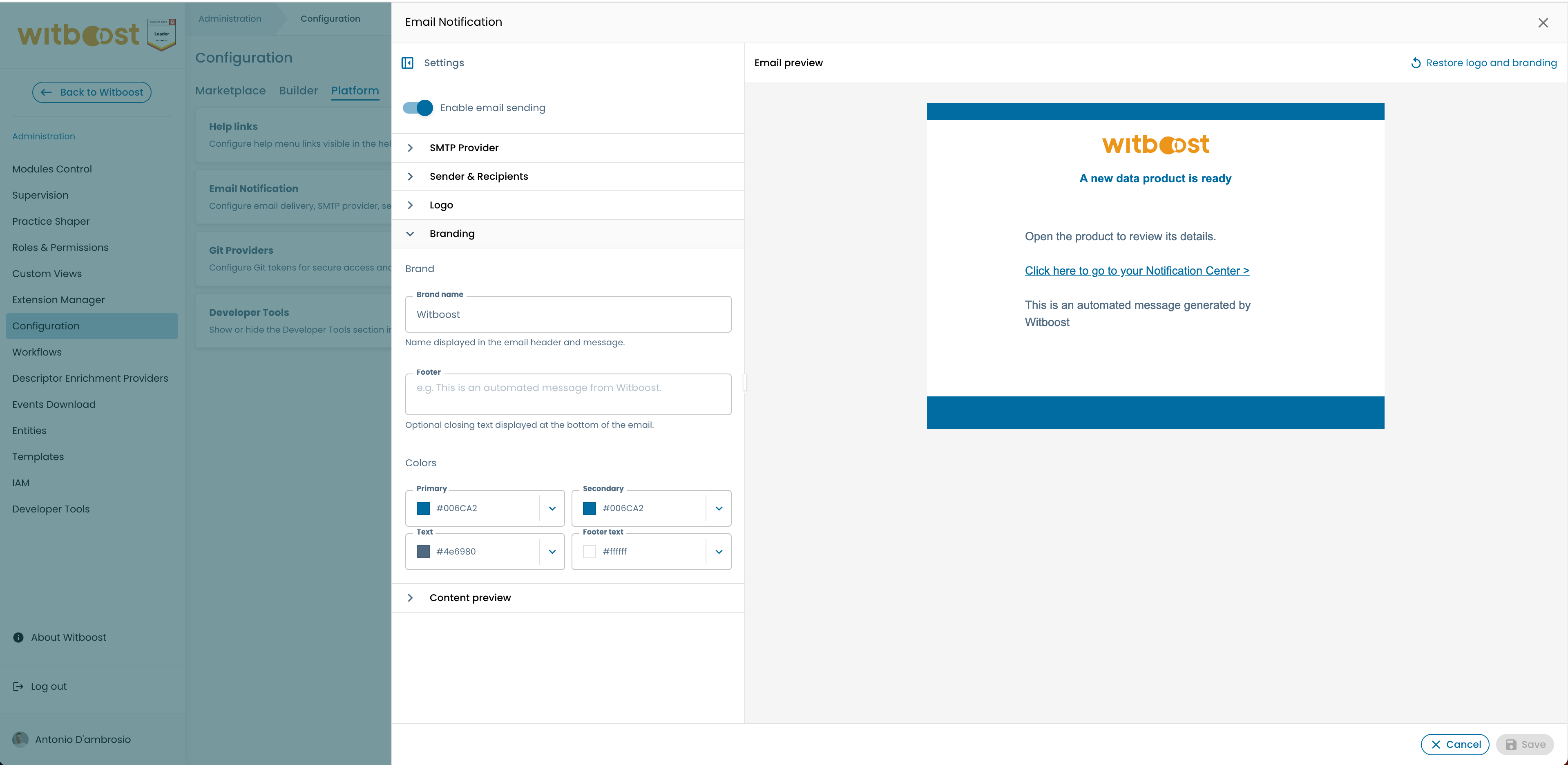
Email configuration: brand, preview, and test notification emails
Make Witboost notification emails look like they come from your organization. Configure delivery and branding visually in the Administration area, then preview messages to check appearance before saving.
Configure notification emails.
Issues fixed and minor improvements
v2.12.0
- Accessibility improvements.
- Security enhancements.
- Restrict microservice proxy destinations with
mesh.builder.scaffolder.microserviceProxy.allowedUrls. Configure this allowlist where users can supply destination URLs; an absent or empty allowlist permits all destinations. See the destination allowlist documentation. - Project registration now accepts catalog info URLs containing slashes.
- Extension manager enhancement: when registering a tech adapter, you can now pick multiple environments at once, rather than configuring them individually.
v2.12.1
- Security improvement
- Fixed authentication errors when creating components in non-empty repositories